
Blog
What Are the Best Gaming Keyboard Switches for Different Players?
Choosing the right gaming keyboard switch is a common dilemma for many competitive gamers today. FPS players crave lightning-fast responsiveness—where the action on screen happens the instant a finger moves—while MMO players prioritize a distinct, tactile confirmation for every press across dozens of skill keys. Meanwhile, those who spend long hours typing often look for a smooth feel and a quiet sound profile.
With a variety of options now on the market—including mechanical, magnetic, and inductive switches—the landscape can be overwhelming for beginners. In this article, we’ll take the perspective of a switch manufacturer to explain the actuation mechanisms, key specifications, and ideal user profiles for each type, helping you translate “feel” into concrete, verifiable parameters.
What Makes a Keyboard Switch “Best” for a Player?
There is no single “best” keyboard switch; rather, the “best” choice is the one that offers the most precise match for your needs: aligning the actuation method with your gaming rhythm, matching the tactile feel to your usage duration, and ensuring the switch’s lifespan aligns with your intensity of use. Understanding these factors makes it much easier to determine whether a particular switch is truly the right fit for you:
- Actuation mechanism: Mechanical switches rely on the physical contact of metal points (with a factory-set actuation point), whereas magnetic and inductive switches use non-contact sensing, allowing for continuously adjustable actuation points.
- Tactile feel: This determines how long you can type or play without fatigue—whether it’s the smooth travel of a “linear” switch, the distinct bump of a “tactile” switch, or the audible click of a “clicky” switch, each catering to different use cases.
- Lifespan: This determines how long the switch will last—there is a significant difference in durability between contact-based (mechanical) switches and non-contact (magnetic/inductive) switches.
Only by clarifying these three aspects can you truly make sense of a technical specification sheet.
Mechanical Keyboard Switch: Feel-First Players and MMO Veterans
The mechanical keyboard switch completes on and off through physical contact between the moving contact and the static contact. The trigger point is fixed at the factory. The feel is determined by the Spring, Stem and contact structure. Its maturity and number of types are unmatched so far – most discussion of the feel of keyboard switches on the market revolves around mechanical switches.
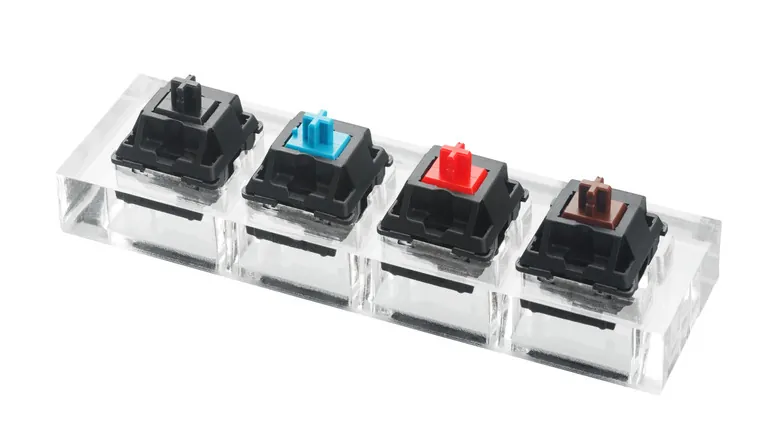
mechanical keyboard switch
Linear, Tactile and Clicky: Three Feelings, Three Players
The linear keyboard switch is smooth and smooth throughout, with a common trigger pressure of 45~55gf. It is suitable for players who are accustomed to traditional feel and pursue stable output;
The Tactile keyboard switch has a clear pause at the trigger point, which takes into account both typing and gaming. It is a classic choice for MMO players – multiple skill keys, and each confirmation is completed by feedback from the fingertips. The “sense of presence” of the paragraph is efficiency;
The clicky keyboard switch has an additional clicky sound, which has the strongest sense of ritual. However, the clicky sound is less helpful to competitive players and is more suitable for users who mainly focus on typing.
Where the Mechanical Keyboard Switch Reaches Its Limit
Mechanical keyboard switch also have two clear limitations:
- First, the trigger point is fixed, and the trigger stroke of about 2.0mm is “half a beat slow” for FPS players who pursue extreme response;
- Second, metal contacts are physical wear parts with a lifespan of 50 million to 100 million times, and double-clicks or signal jitter may occur after use.
These two limitations are the main reasons why the non-contact shaft comes on the scene.
Magnetic Keyboard Switches: The Top Choice for FPS Gamers
Magnetic keyboard switches utilize Hall-effect sensors to detect changes in the position of a magnet embedded within the switch stem, eliminating the need for physical electrical contacts. This technology transforms the gaming experience in two key ways: adjustable actuation points and continuous, analog-style signal output. These features perfectly align with the needs of competitive FPS players, which is why magnetic switches have emerged as a breakout trend in gaming keyboards over the past few years.
Adjustable Actuation and Rapid Trigger
The actuation distance of magnetic switches can be customized:
- FPS players can set the actuation point between 0.3mm and 1.0mm, ensuring that the slightest press translates into an immediate in-game action.
- Users who prefer a more conservative setup can opt for a range of 1.0mm to 2.0mm, trading a bit of speed for greater protection against accidental key presses.
“Rapid Trigger” technology goes a step further: by resetting the key the moment it is released, it allows for repeated actuation within the full range of the key’s travel. This removes the limitations imposed by fixed actuation points, facilitating high-frequency maneuvers like “counter-strafing” (stopping movement instantly by tapping the opposite directional key). For competitive gamers, this means their physical movements are translated into in-game actions with greater speed and precision.
Understanding Magnetic Keyboard Switch Specifications
Take the “Polar Magnetic Dawn Light keyboard switch” as an example: it features an operating force of 35±5gf, a bottom-out force of 45±10gf, a total travel distance of 3.20±0.10mm, and a mechanical lifespan exceeding 100 million actuations. It offers customizable actuation points and a Rapid Trigger precision of 0.001mm.
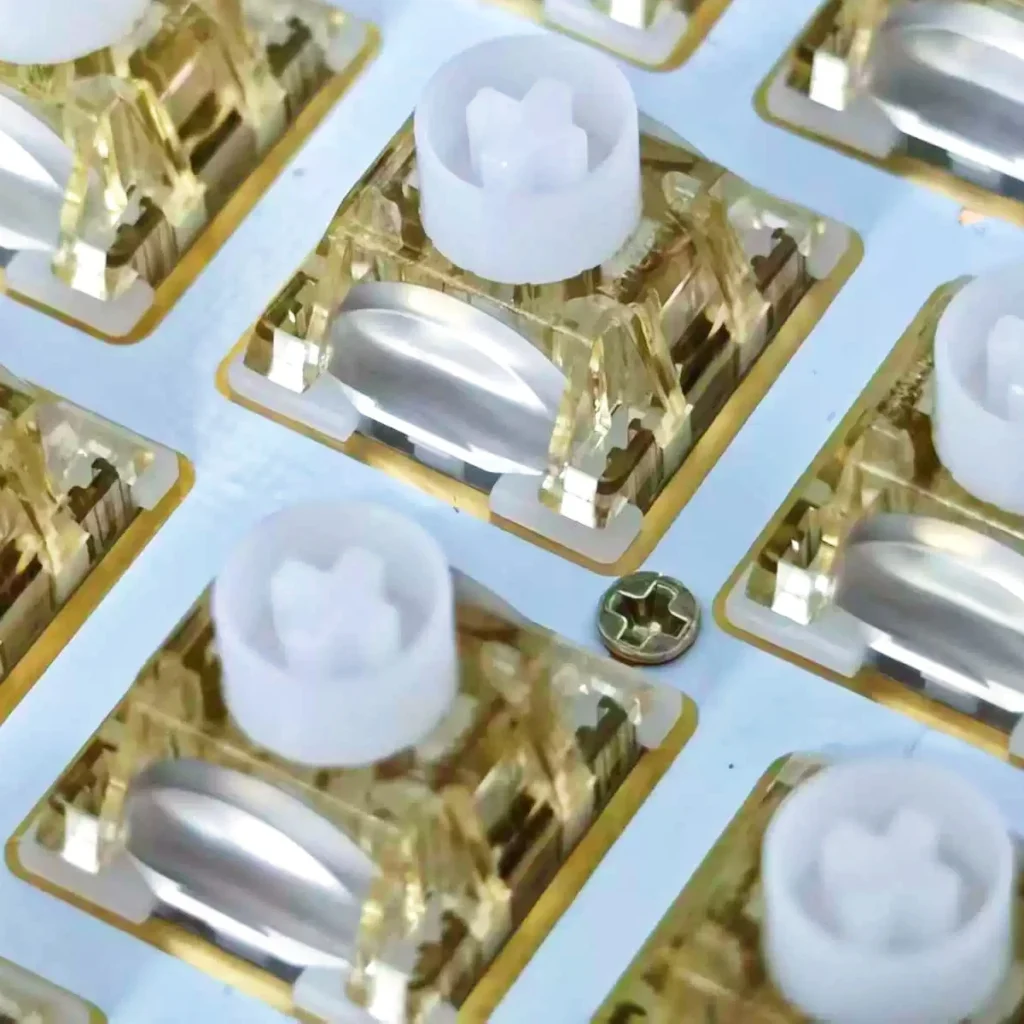
polar magnetic dawn light keyboard switch
Constructed with a POM stem, a POM bottom housing, and a PC top housing, these switches ensure smooth operation and a clean, crisp sound. When shopping for magnetic switches, pay close attention to three key factors: the range and precision of the adjustable actuation, the rated lifespan, and magnetic parameters such as bottom-out magnetic flux. These specifications are crucial for ensuring consistent actuation across every key on the keyboard.
Inductive Keyboard Switches: The Non-Contact Alternative
Inductive keyboard switches follow a different non-contact approach: they use coils to detect the positional changes of moving metal components, likewise avoiding the need for physical electrical contacts to trigger a signal. Like magnetic switches, this technology is “contactless, long-lasting, and provides a stable signal.” Furthermore, because it operates by detecting the cutting of magnetic field lines, it is immune to issues like magnetic degradation or external magnetic field interference—making it exceptionally reliable in environments with complex electromagnetic conditions or during prolonged, high-frequency use.
inductive keyboard switch
It is an ideal choice for gamers who prioritize long-term signal consistency and want to ensure the tactile feel remains unchanged even after years of use. It also appeals to competitive users who desire contact-less actuation and adjustable travel distances. However, as this technology is still in its early stages of development, the range of available models and keyboard compatibility is currently limited. Before making a purchase, it is advisable to verify firmware support and customization capabilities with the switch supplier.
Three Keyboard Switches Side by Side
|
Comparison Criteria |
Mechanical Keyboard Switch |
Magnetic Keyboard Switch |
Inductive Keyboard Switch |
|
Actuation Principle |
Physical contact between metal contacts to open or close the circuit |
Hall sensor detects the position of a magnet inside the stem; non-contact operation |
Coil detects the position of a moving metal component; non-contact operation |
|
Feel Types |
Linear, tactile, and clicky; a wide variety of typing feels |
Primarily linear, with a smooth keystroke |
Primarily linear, with crisp rebound |
|
Actuation Point |
Fixed |
Adjustable in 0.1 mm increments; supports Rapid Trigger |
Adjustable, with stable actuation |
|
Response Characteristics |
On/off signals with low latency but no analog output |
Analog signals; supports Rapid Trigger (RT) and dead-zone settings |
Stable sensing signals, without magnetic degradation or magnetic interference |
|
Service Life |
Approximately 50–100 million keystrokes for commercially available models |
100 million keystrokes |
100 million keystrokes |
|
Typical Specifications |
Actuation force: 45–55 gf; total travel: approximately 4.0 mm |
Operating force: 35 ± 5 gf; total travel: 3.20 ± 0.10 mm |
Operating force: 30/40 gf; total travel: approximately 3.50 ± 0.20 mm |
|
Best Suited For |
MMO players, typing enthusiasts, and users who prioritize typing feel |
FPS players and competitive gamers who want adjustable actuation and Rapid Trigger |
Competitive gamers who prioritize service life and signal stability |
How to Choose the Right Keyboard Switch for Your Play–style
For FPS and competitive gamers, magnetic switches are a top choice; you can set a shallow actuation point and enable “rapid trigger” (dynamic actuation) to prioritize reaction speed.
For MMO players or those who use a large number of keys, traditional mechanical switches—specifically tactile switches—remain the most comfortable option, offering satisfying feedback and the flexibility of hot-swappability.
If you prioritize long-term stability and a quiet typing experience, consider inductive switches or linear mechanical switches; they offer an excellent balance of durability, consistency, and everyday typing comfort.
Of course, there is one piece of advice that applies to everyone: if possible, test the switches before you buy. Technical specifications determine if a switch is “technically correct” for your needs, while the actual feel determines whether you’ll “love” using it. Only when both criteria are met have you found the switch that is truly right for you.
FAQ
Q1: What is the ideal actuation point setting for magnetic switches?
A1: Competitive FPS players might try a setting between 0.3mm and 1.0mm for the fastest possible response, though this increases the risk of accidental key presses. For general daily use, 1.0mm to 2.0mm is recommended to strike a balance between speed and stability. It’s best to start at 1.0mm and adjust from there to find your personal “sweet spot.”
Q2: Can the actuation point of a magnetic switch “drift” over time?
A2: While magnetic switches don’t suffer from physical contact wear, the magnetic flux can shift slightly due to temperature changes or the passage of time—for instance, if the keyboard heats up during prolonged use. When purchasing, check the tolerance between the initial magnetic flux and the flux at the bottom-out position; a tighter tolerance generally ensures better long-term consistency.
Q3: Why is there such a significant difference in lifespan between mechanical switches and magnetic switches?
A3: The primary reason lies in the metal contacts: every time a mechanical switch is pressed, the electrical connection creates an arc and physical wear, which can eventually lead to issues like “double-clicking” or signal “chatter.” In contrast, magnetic and inductive switches rely on non-contact sensing mechanisms. Their lifespan is limited only by the durability of the springs and structural components, resulting in a much longer operational life.
Q4: Can the actuation point of an inductive switch be adjusted, just like with a magnetic switch?
A4: Inductive switches also utilize non-contact sensing, which, in theory, allows for travel detection and adjustable actuation points. However, implementations and software support vary significantly between manufacturers. Before making a purchase, you should verify the specific capabilities directly with the switch supplier—do not simply assume that “non-contact” automatically implies “adjustable.”
Q5: Is it necessary for MMO players to switch to magnetic switches?
A5: It is not a strict necessity. The primary challenges for MMO players are ensuring precise key activation and avoiding accidental presses; tactile mechanical switches are generally better suited for these needs. While the adjustable and rapid-trigger features of magnetic switches can assist with the timing of skill combos, they are more of a “nice-to-have” bonus rather than an essential requirement.
Conclusion
Ultimately, the best gaming keyboard switch is the one that offers the feel that best aligns with your personal preferences during use and gameplay. Mechanical switches cater to enthusiasts who prioritize tactile feedback and those who play MMOs, offering the widest variety of physical sensations. Magnetic switches empower FPS players to enhance their reaction speeds through adjustable and rapid-trigger functions. Inductive switches provide an alternative solution, leveraging non-contact sensing to deliver superior durability and stability.
By carefully considering factors such as actuation mechanisms, tactile feel, and lifespan—and by cross-referencing the specifications, tolerances, and adjustment ranges provided by keyboard switch manufacturers—the concept of “feel” ceases to be an abstract, subjective mystery. Instead, it becomes a concrete set of criteria that you can discuss with suppliers, helping you make a more informed choice and select the product that truly meets your needs.