
Blog
Mechanical Blue Switch Guide: Sound, Feel, and Typing Experience
The mechanical blue switch is a keyboard switch characterized by a distinct tactile click and a clear tactile feedback, widely used in input scenarios requiring strong feedback (such as typing, text editing, and some gaming scenarios). This article will systematically analyze the characteristics and suitable users of the Mechanical Blue Switch from three core dimensions: sound, feel, and actual input experience, helping users more accurately determine if a Mechanical Blue Switch is suitable for them.
What Is a Mechanical Blue Switch
Structure of a Mechanical Blue Switch
The Mechanical Blue Switch is a typical clicky switch, its most prominent feature being a very distinct “click” sound and clear tactile feedback. To achieve this special feel, the Mechanical Blue Switch typically employs a complex click mechanism design.
In most Blue Switch structures, the core components include the Click Jacket, metal spring, switch core, and spring system. When the user presses a keycap, the switch core pushes the internal Click Jacket structure to move. Upon reaching the actuation point, the Click Jacket quickly passes the damping point and strikes the internal structure, producing a distinct click sound.
Simultaneously, the metal spring outputs a conduction signal, enabling the keyboard to recognize key input. Therefore, the audible feedback and actuation feedback of the mechanical blue switch usually occur simultaneously, which is one reason why many users consider the blue switch to have the strongest “mechanical feel.”
Compared to the linear pressing structure of the linear switch, the internal movement trajectory of the mechanical blue switch is more complex, allowing users to clearly perceive that the key has been actuated. This strong feedback structure is also a major reason for its long-standing popularity among typists.
Mechanical Blue Switch Position in Keyboard Switch Types
Currently, mechanical keyboard switches can be broadly categorized into three main types: Linear Switch, Tactile Switch, and Clicky Switch. The red and black switches are linear switches, the brown switch is a tactile switch, and the blue switch is a clicky switch.
Linear switches are characterized by a smooth pressing process without noticeable tactile feedback; tactile switches provide slight damping at the actuation point; while mechanical blue switches add a distinct click sound on top of tactile feedback. Therefore, the mechanical blue switch often provides the strongest input confirmation. Users receive both tactile and audible feedback with each keystroke, a dual confirmation mechanism ideal for high-frequency input scenarios.
How Mechanical Blue Switch Produces Click Sound
Many mechanical keyboard beginners wonder why the Blue Switch emits such a distinct “clicky” sound. This comes from the instantaneous impact of the internal Click Jacket structure. When the user presses the switch, the stem pushes the Click Jacket downwards.
Upon reaching a specific actuation point, the Click Jacket quickly bounces and strikes the internal structure, creating a crisp click sound. Simultaneously, the metal spring completes the electrical signal conduction, allowing the user to simultaneously experience the tactile feedback and click sound, confirming that input has been triggered.
This process involves physical structural action, and the sound is more pronounced than with a tactile switch. Furthermore, the Blue Switch’s rebound phase also produces some sound, resulting in a strong rhythmic feel to the overall input process. This is one of the reasons why many writers prefer mechanical Blue Switches.
Mechanical Blue Switch Sound Characteristics
Why Mechanical Blue Switch Is the Loudest Among Switch Types
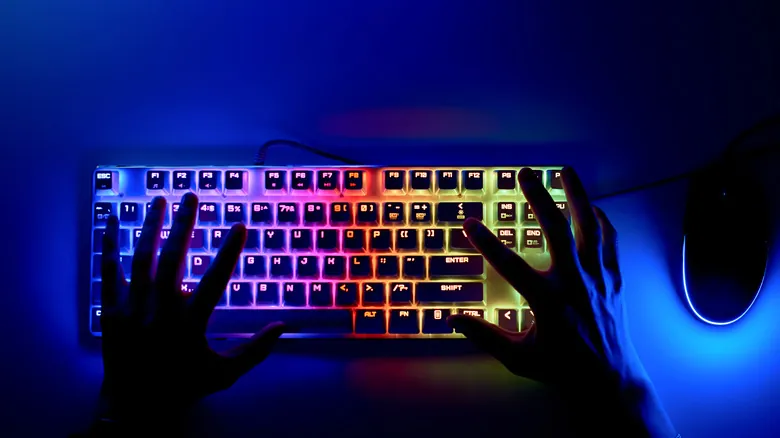
Among current mainstream mechanical keyboard switches, the mechanical blue switch is generally considered one of the loudest. This is mainly due to the following factors:
- The internal click mechanism actively generates sound.
- The tactile feedback and sound occur simultaneously.
- The actuation action is more pronounced, and the rebound process may also produce additional sound.
For users who enjoy the ambiance of mechanical keyboards, this crisp sound provides a very strong sense of satisfaction. Especially during high-speed typing, the continuous clicky sound creates a very strong rhythm. However, this high volume also means that the blue switch is not suitable for all environments. In libraries, offices, or shared spaces, its sound may disturb those around it.
Typing Rhythm Created by Mechanical Blue Switch
One of the biggest advantages of the mechanical blue switch is its ability to help users establish a stable typing rhythm. Because each keystroke produces clear tactile feedback, a distinct sound confirmation, and a stable actuation point, users can intuitively perceive whether each input is complete.
For users who engage in prolonged text input, this rhythmic feedback significantly enhances the sense of control during input. Many programmers, editors, and those who frequently write text find that the blue switch helps them maintain continuous input. Especially during high-speed typing, the sound of the mechanical blue switch creates a metronome-like rhythmic feedback, making the input process more coherent.
Impact of Keycap and Keyboard Housing on Mechanical Blue Switch Sound
While the blue switch itself determines the primary sound signature, the actual keyboard sound is not solely determined by the switches. Keycap material, the internal cavity structure of the keyboard, the back shell material, the internal filling structure, and the material of the mounting plate all influence the final sound performance.
For example, POM keycaps have a more solid sound, while PC keycaps have a crisper sound. If the keyboard’s internal cavity is large, it may also produce a noticeable echo. Therefore, the same mechanical blue switch can often produce a significantly different sound experience on different keyboards. This is why the custom keyboard market places great emphasis on optimizing the internal acoustic structure.
Mechanical Blue Switch Feel and Tactile Experience
Strong Tactile Feedback of Mechanical Blue Switch
The core feature of the mechanical blue switch is its strong tactile feedback. Users can clearly feel the changes in resistance, actuation point, and tactile feedback during keystrokes, making the input process feel more “mechanical.”
Compared to the smooth press of a linear switch, the blue switch emphasizes the tactile feedback of input, which is why many users feel it “is more like a real mechanical keyboard.” For beginners to mechanical keyboards, the mechanical blue switch is often the type of switch whose differentiated experience is most easily perceived.
Actuation Force and User Perception
Most mechanical blue switches have an actuation force of around 45±10gf. This pressure range reduces accidental keystrokes, maintains input stability, and enhances key control. Compared to the red switch, the blue switch requires more noticeable input force, allowing users to perceive key movements more clearly.
However, for those accustomed to light-pressure input, the blue switch may initially feel slightly “stiff.” However, with prolonged use, many users will gradually appreciate this stable feedback.
Typing Fatigue Consideration of Mechanical Blue Switch
While the Blue Switch offers excellent input feedback, it also has certain limitations. Due to its noticeable tactile resistance, strong actuation feedback, and relatively higher button pressure, some users may experience finger fatigue during extended periods of continuous typing.
Especially in high-intensity gaming scenarios, frequent and rapid button presses may feel too strenuous for some players. Therefore, the mechanical Blue Switch is more suitable for users who emphasize typing rhythm and is primarily used for high-frequency text input and periods of high-intensity work; it is less suitable for prolonged competitive gaming.
Mechanical Blue Switch Typing Experience in Real Usage
Ideal Use Case for Mechanical Blue Switch
The mechanical blue switch is best suited for document editing, program development, and high-frequency text input scenarios. In these scenarios, the rhythmic feedback of the blue switch significantly enhances the typing immersion. Especially for programmers, clear feedback helps maintain a stable typing rhythm during long code inputs.
Why Writers and Typists Prefer Mechanical Blue Switch
Many long-term text-based workers prefer the mechanical blue switch, mainly due to its clear input feedback, reduced chance of missed keystrokes, and clear typing rhythm. Because the blue switch provides a very strong trigger confirmation, users can more easily establish typing habits, confidently complete high-speed input, and experience a strong sense of psychological satisfaction.
Why Mechanical Blue Switch Is Less Suitable for Quiet Environments
While the blue switch offers an excellent typing experience, its high volume remains a significant issue. Especially in environments such as offices, dormitories, libraries, and meeting rooms, its clicky sound can easily disturb those around it. In this situation, many users will choose a linear switch or a silent switch as a quieter alternative.
Mechanical Blue Switch vs Other Keyboard Switch Types
Mechanical Blue Switch vs Mechanical Red Switch
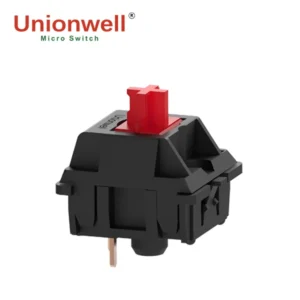
The biggest difference between the two lies in their tactile feedback. The blue switch has a tactile bump and click sound, providing clear feedback. In contrast, the red switch is linear and smooth with no obvious feedback and is quieter. This comparison shows that the mechanical blue switch is more suitable for typing, while the mechanical red keyboard switch is better suited for fast-paced gaming.
Mechanical Blue Switch vs Mechanical Brown Switch
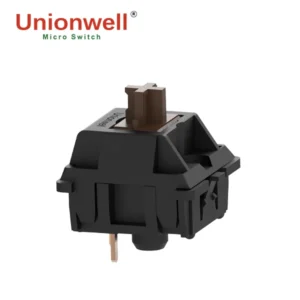
The brown switch is considered by many users as a “middle ground” between the blue and red switches. Its main difference from the blue switch is that the blue keyboard switch has a more obvious click sound and a stronger tactile bump. The brown keyboard switch has only a slight tactile bump and is significantly quieter, making it more suitable for public environments such as offices.
Mechanical Blue Switch vs Mechanical Black Switch
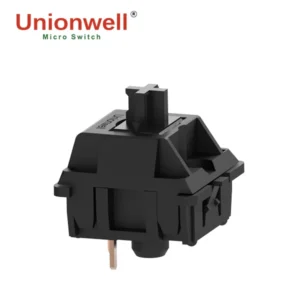
The black switch is a high-pressure linear switch. Compared to the blue switch’s noticeably clicky feedback and stronger input rhythm, the black keyboard switch requires significantly more pressure, provides more stable input, and has no click sound, making it more suitable for heavy-handed users and some competitive games.
Conclusion
The Mechanical Blue Switch holds a significant position in the keyboard switch market due to its unique click sound, strong tactile feedback, and clear input experience. Despite its relatively high noise level, it offers a clear advantage in typing efficiency and input confirmation. For users seeking clear feedback and a fast-paced typing experience, the Mechanical Blue Switch, meticulously developed by the keyboard switch manufacturer, remains an irreplaceable choice.