
Blog
Mechanical Keyboard Switch Colors Guide for Beginners
With the increasing popularity of mechanical keyboards, more and more people are using them for typing or gaming. For beginners, the most confusing aspect is the variety of different colored mechanical keyboard switches. Many users are unsure how to choose when buying their first mechanical keyboard. This article will explain in detail the differences in color, feel, and suitable user groups for several common mechanical keyboard switches, helping you quickly find the right switch for you.
What Do Mechanical Keyboard Switch Colors Mean?
Why Mechanical Keyboard Switch Uses Different Colors
In the mechanical keyboard switch industry, different colored switches are primarily used to differentiate different input experiences, not to indicate product quality. Many beginners mistakenly believe that “red switches are superior to black switches” or “blue switches are better because they are more expensive,” but in reality, the color is simply a designation for different feel schemes.
Different colored mechanical keyboard switches typically differ in the following ways:
- Different actuation force: Some switches require less pressure, while others require more.
- Different tactile feedback: Some switches offer a very smooth typing experience, while others provide a distinct tactile bump.
- Different sound characteristics: Some switches are almost silent, while others produce a very crisp click.
- Different internal structures: Different structures from different manufacturers directly affect the typing experience and keyboard positioning.
Therefore, when choosing a keyboard switch, the most important thing to consider is your own usage habits.
Three Main Types of Mechanical Keyboard Switches
Most mechanical keyboard switches can be divided into three basic types:
- Linear Switch: Linear switches do not provide a distinct tactile bump during pressing, resulting in a very smooth typing experience. They are suitable for users who prefer rapid actuation and continuous typing.
- Tactile Switch: Tactile switches provide a slight tactile bump at the actuation point, allowing the user to perceive that the key has been pressed.
- Clicky Switch: Clicky switches not only have a distinct tactile bump but also produce a crisp click sound.
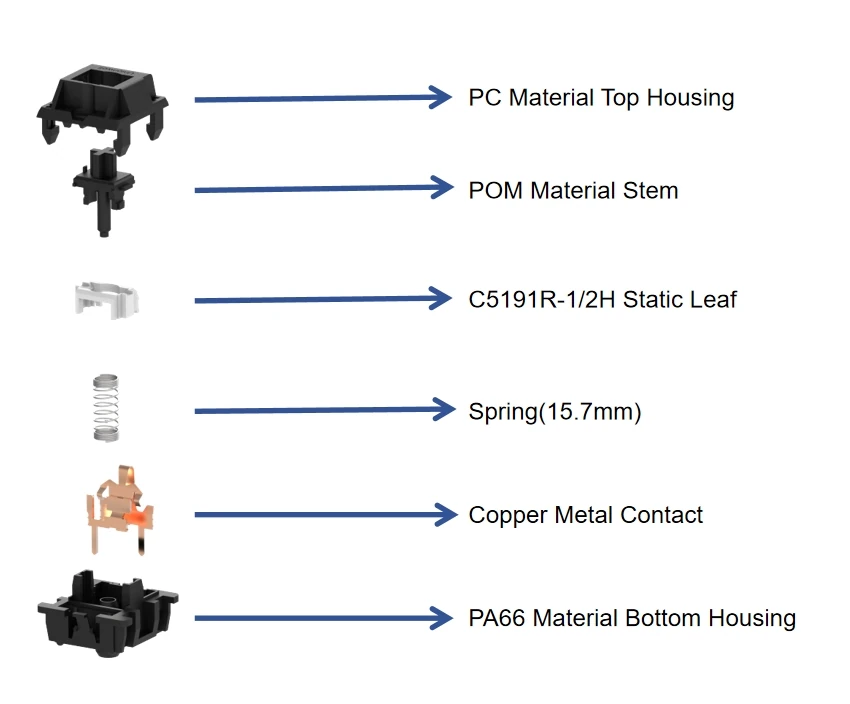
Understanding these three basic structures will make it easier for beginners to determine which type of mechanical keyboard suits them best.
Red Keyboard Switch Guide
How Red Keyboard Switch Feels
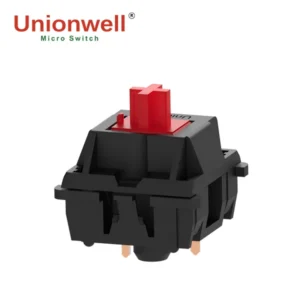
The Red Keyboard Switch is one of the most popular switch types in the gaming keyboard market. As a linear switch, its biggest feature is its smooth input. From the initial press to the bottom of the key, there is no noticeable change in resistance, resulting in a very smooth overall experience.
At the same time, the Red Keyboard Switch typically has a light actuation force, meaning users don’t need to exert much force to type. This effectively reduces finger fatigue for those who use the keyboard for extended periods.
In terms of sound, the Red Keyboard Switch is also relatively quiet. Because it lacks a tactile feedback mechanism and a click mechanism, the only sound when typing is the keycap bottoming out. Many users new to mechanical keyboard switches may find the Red Keyboard Switch “too soft,” but this light-pressure design is actually very suitable for high-frequency input scenarios.
Why Gamers Prefer Red Keyboard Switch
Currently, many gaming keyboards prioritize the Red Keyboard Switch, mainly for two reasons: First, its rapid actuation capability. Due to the lighter actuation force, players can complete keystrokes more quickly, which is crucial for high-frequency movement and rapid operations in competitive games. Secondly, it makes long gaming sessions easier.
Some gamers play for extended periods, and excessive switch pressure can easily lead to hand fatigue. The Red Keyboard Switch offers a significant advantage in comfort.
Furthermore, the Red Keyboard Switch is quieter, making it more suitable for live streaming, voice chat, and public environments. Especially in FPS and competitive games, many players prioritize continuous movement and quick reactions, thus the Red Keyboard Switch has gradually become a mainstream choice for gaming keyboards.
Who Should Choose Red Keyboard Switch
The Red Keyboard Switch is primarily suitable for the following types of users:
- Gamers: The Red Keyboard Switch is particularly suitable for FPS, competitive, and games requiring fast reactions.
- Users who type for long periods: The lighter pressure reduces fatigue from prolonged typing.
- Users who prefer light-pressure typing: If you don’t like a heavier key feel, it will be very comfortable to use.
Black Keyboard Switch Guide
How the Black Keyboard Switch Differs from the Red Keyboard Switch
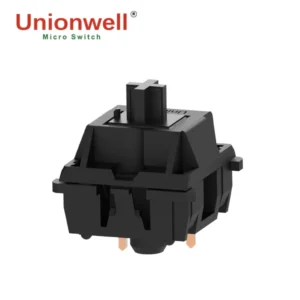
Both the black and red keyboard switches are linear switches, so neither has a distinct tactile feedback. However, the biggest difference lies in the actuation force. The black keyboard switch keys are “heavier,” requiring more force to actuate. This results in a more stable typing experience.
Many users notice a significant difference in the solidity and resistance of the keys when using the black keyboard switch for the first time. In terms of sound, there is no significant difference, and neither has a clicky mechanism, resulting in lower overall noise.
Advantages of the Black Keyboard Switch
The advantages of the black keyboard switch are primarily in stability and accidental keystroke control. Due to the higher key pressure, it effectively reduces accidental keystrokes. For users who type frequently, a light switch might lead to accidental keystrokes due to slight touches, while the black keyboard switch effectively mitigates this issue, providing a more stable control experience.
Who Should Use the Black Keyboard Switch?
The black keyboard switch is more suitable for the following users:
- Heavy gamers, especially those who engage in high-intensity typing.
- Users accustomed to heavy typing pressure; the black keyboard switch offers greater stability for users who typically type with significant force.
- Those who want to reduce accidental keystrokes; its higher pressure reduces the probability of accidental keystrokes.
Brown Keyboard Switch Guide
What Makes Brown Keyboard Switch Popular
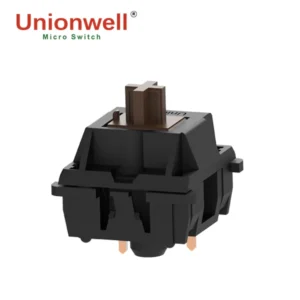
The brown keyboard switch is one of the most balanced switches currently available, suitable for both office work and gaming. As a tactile switch, its biggest feature is its slight tactile feedback. Users will feel a slight feedback point during keystrokes, indicating that the key has been actuated.
Compared to other switches, the brown keyboard switch provides more input feedback without producing the obvious click sound of the blue keyboard switch. Therefore, many users consider the brown keyboard switch an “all-around” switch. In terms of sound, the brown keyboard switch has a moderate noise level; it’s neither too quiet nor too noisy, making it suitable for use in some public places.
Brown Keyboard Switch vs Blue Keyboard Switch
Many beginners struggle with choosing between the brown and blue keyboard switches. The biggest difference lies in their sound and tactile feedback. The brown keyboard switch is noticeably quieter; while it has tactile feedback, it doesn’t have the very obvious click feedback of the blue keyboard switch.
Furthermore, the brown keyboard switch has a lighter tactile feedback, making it more suitable for extended use. For shared environments such as offices and dormitories, the brown keyboard switch is generally more suitable.
Who Should Choose Brown Keyboard Switch
The brown keyboard switch is ideal for the following users:
- Office users, who enjoy tactile feedback without being too loud.
- Students, suitable for dormitories and shared study environments.
- People who both play games and need to type, balancing entertainment and work needs.
Blue Keyboard Switch Guide
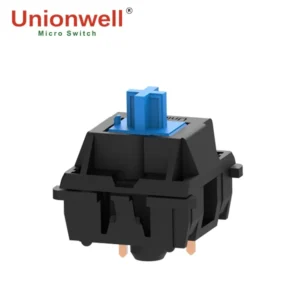
Why Blue Keyboard Switch Produces Clicky Sound
The biggest feature of the Blue Keyboard Switch is its distinctive clicky sound, primarily derived from its internal Click Jacket structure. When a user presses a key, the internal structure produces a clear sound and tactile feedback at the moment of activation, resulting in a very strong typing rhythm.
Many users, upon first use of the Blue Keyboard Switch, will immediately notice its “very mechanical feel.” Simultaneously, its tactile feedback is extremely pronounced, allowing users to clearly sense whether a key has been pressed.
Advantages of Blue Keyboard Switch
The advantages of the Blue Keyboard Switch are mainly concentrated in the typing experience. First, its typing rhythm is very strong; many users find the crisp sound provides a stronger input feedback. Second, its actuation is very precise, allowing users to clearly know when a key has been pressed.
For users who appreciate the mechanical feel, the Blue Keyboard Switch often holds a unique appeal; for them, the typing sound is like a beautiful melody.
Disadvantages of the Blue Keyboard Switch
While the Blue Keyboard Switch offers excellent input feedback, it also has significant drawbacks, the biggest being its relatively high noise level. In environments like offices, libraries, or dormitories, the Blue Keyboard Switch can easily disturb those around you, making its use undesirable.
Furthermore, due to its strong tactile feedback, some players may experience fatigue during extended gaming sessions. Therefore, many esports players currently prefer linear switches.
How Beginners Should Choose a Mechanical Keyboard Switch
Choose a Mechanical Keyboard Switch Based on Usage
For beginners, the simplest way to choose is based on your usage scenario:
- If gaming is your priority, a red keyboard switch is recommended.
- If office work is your priority, a brown keyboard switch is recommended.
- If you value a more unique experience, consider a blue keyboard switch, but try to avoid using it in public environments.
- If you require more force to type, a black keyboard switch is more suitable.
Sound Level Also Matters
Many beginners often overlook the sound issue when buying a mechanical keyboard for the first time. In fact, blue keyboard switches are the loudest and not suitable for public places. Therefore, you also need to consider the usage environment when choosing a keyboard switch.
Try Different Mechanical Keyboard Switches Before Buying
If possible, it is recommended that users try different switch types before purchasing. Many typing experiences are difficult to fully understand just by looking at the specifications. Even with the same linear switch, different users may have completely different experiences with red and black keyboard switches.
In addition, you can also refer to data such as the switch’s actuation force, total travel, actuation distance, and tactile feedback intensity. Long-term usage habits are often more important than short-term experience.
Other Mechanical Keyboard Switch Types on the Market
Besides the four basic switch types—red, black, brown, and blue—the keyboard switch market is seeing an increasing number of niche products. For example, white keyboard switches, silver keyboard switches, green keyboard switches, and so on.
However, for beginners to mechanical keyboard switches, understanding the four basic switch types (red, black, brown, and blue) is more important, as they basically cover the input needs of most users.
FAQ
Q1. Which is quieter, a red keyboard switch or a brown keyboard switch?
A1. Red keyboard switches are generally quieter because they lack a noticeable tactile feedback and click sound.
Q2. Are black keyboard switches louder than red keyboard switches?
A2. The sounds are similar, but black keyboard switches may feel slightly heavier when typed due to the greater actuation force.
Q3. Which types of mechanical keyboard switches are more suitable for office use?
A3. Brown and red keyboard switches are more suitable for office use because they are relatively quieter.
Q4. Is the volume of a mechanical keyboard switch only related to the switches themselves?
A4. No, the keycap material, keyboard casing, and internal filling structure also affect the sound performance.
Q5. Why do some gamers prefer the loud blue keyboard switch?
A5. Because blue keyboard switches offer a more pronounced click feedback, providing a stronger sense of rhythm and mechanical feel.
Conclusion
For mechanical keyboard beginners, understanding the different colors of mechanical keyboard switches is an important first step in choosing the right keyboard. Different key switches exhibit significant differences in actuation force, sound performance, input feedback, and gaming experience.
Looking ahead, as the gaming keyboard and custom keyboard markets continue to grow, high-performance mechanical keyboard switches developed by professional keyboard switch suppliers will continue to drive upgrades in the keyboard experience.