
Blog
How to Choose a Mechanical Keyboard Switch for Yourself?
The mechanical keyboard switch is a crucial component that determines the actual user experience of a mechanical keyboard. The changes in resistance, actuation feedback, rebound speed, and key sound felt when pressing the keycaps are all related to the structural design of the keyboard switch. Therefore, when preparing to buy or replace a keyboard switch, simply comparing switch colors, appearances, or brand names is insufficient to truly determine whether a switch is suitable for your needs.
Therefore, the most important question when choosing a keyboard switch is not “which one is the best,” but rather “which one best suits my usage needs.” This article will begin with three main tactile types—Linear, Tactile, and Clicky—and further analyze key parameters such as Operating Force, Sound, Actuation Point, and Travel Distance to help users establish a more comprehensive selection standard for keyboard switches.
How to Choose the Right Keyboard Switch Type?
The first step in choosing a keyboard switch is determining your preferred tactile feedback. Users can start by considering three questions:
- Do you prefer a smooth pressing feel, or do you want a noticeable tactile feedback when pressing?
- Do you need a distinct click sound?
- Is your daily use primarily for gaming and typing, or do you want to accommodate both scenarios?
These three questions can help users determine their initial direction for a keyboard switch and identify the type of feel they need.
Choose a Linear Keyboard Switch for Smooth Key Presses
The core feature of a linear keyboard switch is the continuous change in resistance during pressing, without noticeable tactile bumps or click mechanisms. After the user presses the keycap, the stem moves downwards along the housing rail, while the spring continuously provides resistance, making the overall pressing smoother.
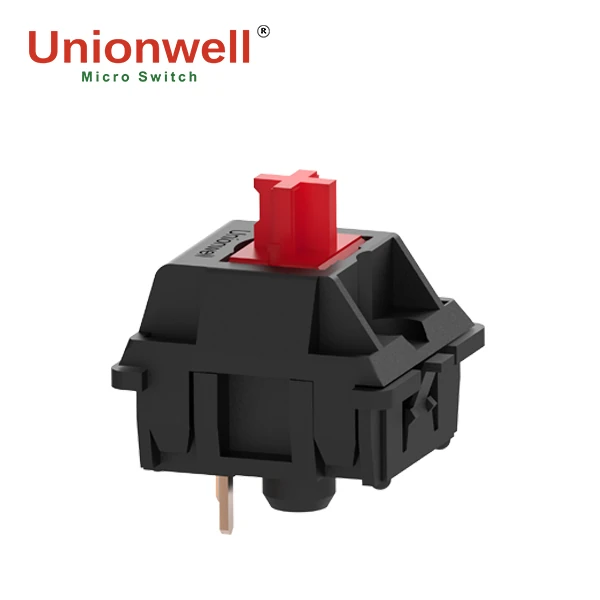
linear keyboard switch
It is commonly used in gaming keyboards and is suitable for scenarios requiring continuous movement, repetitive input, and high-frequency operations. However, “linear” does not necessarily mean “faster.” Actual response speed also depends on factors such as Actuation Point, Operating Force, Reset Point, Controller, and Firmware; therefore, the input performance of different Linear Switches still varies.
Choose a Tactile Keyboard Switch for Clear Feedback
The core feature of a Tactile Keyboard Switch is the noticeable Tactile Bump produced during Stem presses, allowing users to feel clear feedback points with their fingers. This helps users determine whether a key has passed the critical trigger area without relying on continuing to press down to Bottom-Out. Therefore, Tactile Switches are more suitable for office work and programming, and also for users who want to balance gaming and typing.
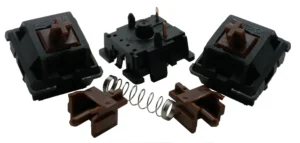
tactile keyboard switch
Most Mechanical Brown Keyboard Switches on the market are typical Tactile Switches. However, the Tactile Bump, Force Curve, and feedback force vary between different products, so they cannot completely determine the final feel.
Choose a Clicky Keyboard Switch for Audible Feedback
Clicky Keyboard Switches add a noticeable Click Mechanism to the Tactile Feedback. When a button is pressed, the user not only feels a change in resistance but also hears a clear click, providing both tactile and auditory feedback.
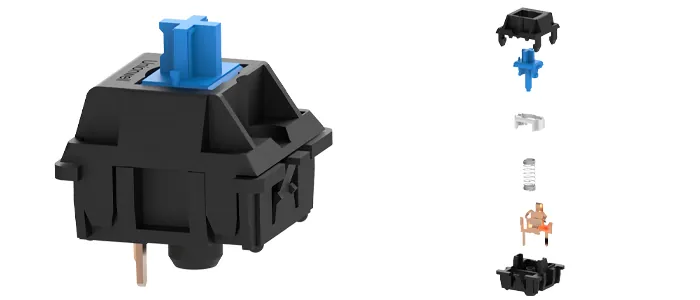
clicky keyboard switch
This design is suitable for users who prefer strong mechanical feedback, but the usage environment must be considered. In shared offices, libraries, or meeting rooms, a loud click can easily disturb others. Users who prefer strong tactile and auditory feedback can choose a Clicky Keyboard Switch; those who value a quiet input environment will need a Keyboard Switch without a noticeable click mechanism.
How Does Operating Force Affect Your Keyboard Switch Choice?
Operating Force is one of the most important parameters when choosing a keyboard switch. It directly affects the force required to push the stem, further influencing the triggering process, the feel of the keystrokes, and fatigue during prolonged use.
Light Keyboard Switch for Fast and Easy Key Presses
Light keyboard switches have lower operating force, requiring less pressure to press, making them suitable for fast input and high-frequency operation. For gaming keyboard users, the lighter pressure reduces finger strain during continuous keystrokes; extended typing is also easier.
However, it’s not suitable for all users. Due to the lower pressure, users accustomed to heavier pressing techniques will significantly increase the probability of accidental keystrokes. Therefore, the choice should also consider Actuation Point, Tactile Feedback, and personal keystroke habits.
Medium Keyboard Switch for Balanced Typing Feel
Medium keyboard switches typically strike a balance between pressure, triggering stability, and typing comfort, making them suitable for various scenarios such as office work, daily typing, and programming. For first-time mechanical keyboard buyers or those unfamiliar with tactile feedback, a keyboard switch with medium operating force is often easier to adapt to.
However, the actual feel of the same force can differ between linear, tactile, and clicky switches. Therefore, in addition to operating force, other parameters should be considered to determine the final feel.
Heavy Keyboard Switch for Stronger Key Feedback
A heavy keyboard switch requires more force to push the stem, thus providing a stronger sense of control. This type of keyboard switch may be more suitable for users prone to accidental keystrokes or who prefer a stronger key pressure, providing clear key feedback during typing.
However, a higher operating force demands more finger strength and user habits. Excessive key pressure during prolonged, heavy typing can increase fatigue. Therefore, a heavy switch is better suited for selection based on individual key pressure and usage scenarios, rather than simply pursuing a heavier feel.
How Does Sound Affect Your Keyboard Switch Choice?
The sound produced by a keyboard switch isn’t entirely determined by the switch itself. The final sound is the result of the combined effects of multiple components, including the switch housing, spring, keycap, keyboard case, and lubrication.
Keyboard Switch for a Quieter Typing Experience
For users seeking a quieter typing experience, a linear switch without click mechanism or a partially tactile switch is preferable. However, keyboard noise is also affected by factors such as keycap, spring, plate, case, and bottom-out, so further tuning in these areas is necessary to reduce overall noise.
Keyboard Switch for More Noticeable Sound Feedback
For users who prefer more noticeable sound feedback, a keyboard switch with click mechanism is recommended. It provides clear auditory feedback on top of tactile feedback, making keystrokes easier to perceive.
However, sound experience is highly subjective, and different users have different preferences for click sound and bottom-out sound. Therefore, it is best to actually listen to or refer to the sound performance of a complete keyboard before purchasing, to avoid regretting it after buying it.
How Do Actuation Point and Travel Distance Affect Keyboard Switch Choice?
In addition to feel and sound, parameters such as Actuation Point, Total Travel, Bottom-Out Distance and Reset Point cannot be ignored when choosing Keyboard Switch. They determine when the Stem triggers throughout the movement, when it bottoms out, and when it re-enters the triggerable state after being released.
Actuation Point of a Keyboard Switch
Actuation Point refers to the trigger position where the Keyboard Switch is pressed down to the point where the input can be recognized by the system. Shallow Actuation Points only require a shorter Stem displacement to trigger, while deeper Actuation Points require further pressure to trigger.
In Gaming Keyboard, it affects trigger distance and operation feel. However, shallower Actuation Point is not necessarily better. Being too sensitive may increase the risk of accidental touches. Therefore, it should be considered in combination with Operating Force, usage habits, and keyboard usage.
Travel Distance and Bottom-Out Feel
Travel Distance refers to the total distance that the Stem moves from the initial position to the final position, which will affect the key depth and pressing experience. A longer Travel Distance will result in a more complete compression process, and a shorter one will be more compact. When choosing a Keyboard Switch, if the user is used to pressing the keys all the way, travel distance and bottom-out feel are also factors that need to be paid attention to.
Should You Choose a Magnetic Keyboard Switch?
A Magnetic Keyboard Switch is a technology that uses changes in magnetic fields to detect the position of a stem or related structure, eliminating the reliance on mechanical contacts for input detection. This allows the keyboard to acquire more continuous positional change information, providing a technological foundation for features such as Adjustable Actuation Point and Rapid Trigger.
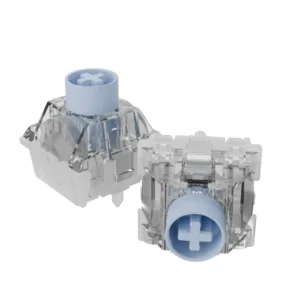
magnetic keyboard switch
How a Magnetic Keyboard Switch Works
The workflow of a Magnetic Keyboard Switch can be summarized as follows: When the user presses the keycap, the stem moves, causing a change in the relative position of the internal magnet and sensor; the sensor detects the change in magnetic field, which is processed by the PCB circuitry, and the controller determines the key state.
Compared to methods relying on contact opening and closing, this approach allows for more flexible input logic based on positional changes, providing a technological foundation for features such as Adjustable Actuation Point and Rapid Trigger.
Who Should Choose a Magnetic Keyboard Switch?
Magnetic keyboard switches are more suitable for users who prioritize high-performance input features such as Rapid Trigger and Adjustable Actuation Point, especially for competitive gaming and custom high-performance keyboard users.
However, they are not directly compatible with regular mechanical keyboards and require corresponding PCBs, sensors, controllers, and firmware. Therefore, before purchasing, you should confirm whether the keyboard supports the corresponding magnetic sensing solution.
Should You Choose an Inductive Keyboard Switch?
An inductive keyboard switch detects key position and movement by changing inductance, electromagnetic coupling, or related sensing parameters. Its core lies in changing the signal detection method between the keyboard switch and the PCB, sensing circuit, and controller.
How an Inductive Keyboard Switch Works
The basic detection process of an inductive keyboard switch is as follows: When the keycap is pressed, the stem moves, changing the position of the aluminum conductive rod, which in turn changes the inductance or electromagnetic parameters of the detection area; the sensing circuit detects and processes the change, and the controller determines the key state. Therefore, its core is not contact closure, but whether the change in the switch position can be accurately identified by the sensing system.
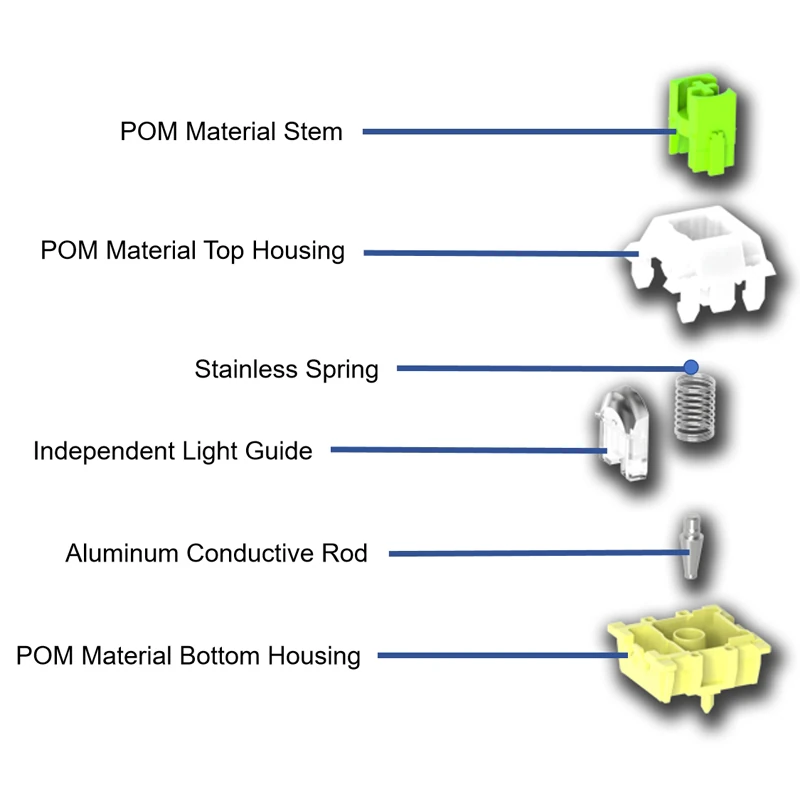
inductive keyboard switch details view
What Are the Advantages of an Inductive Keyboard Switch?
An inductive keyboard switch eliminates the reliance on mechanical contact detection and establishes more flexible input logic based on stem position, providing a technological foundation for adjustable actuation points, rapid triggers, and fine position detection. Additionally, Stem, Spring, and Housing can be used to adjust the feel, enabling co-design of the mechanical feel and electronic detection system.
What are the Limitations of Inductive Keyboard Switch?
One of the main limitations of inductive keyboard switches is system compatibility. It requires a dedicated PCB, sensing circuit, controller, and firmware support. Therefore, even if the switches can be physically installed, the keyboard will not function properly if the PCB lacks sensing circuitry, the controller cannot process the signal, or the firmware is unsupported.
Mechanical Keyboard Switch Compatibility You Should Check Before Buying
When choosing a keyboard switch, in addition to feel and specifications, you must also confirm physical mounting and electrical system compatibility. This is especially important for custom keyboards, where it often takes more attention than feel.
Check Keyboard Switch Mounting Structure
First, confirm the keyboard switch’s mounting structure, which includes the PCB mount and plate mount. Different switch types may have different mounting feet, positioning posts, and bottom structures. If it doesn’t match the PCB or plate, even if the dimensions are similar, stable installation will be impossible. Therefore, check the switch size, mounting type, positioning posts, and mounting feet before purchasing.
Check Keyboard Switch Pin Layout
For keyboard switches using mechanical contacts, you also need to check the pin layout. The electrical pin positions may differ between keyboard switches. If the switch pins don’t match the PCB contact position, a correct electrical connection cannot be established.
Check Mechanical Keyboard Switch Compatibility with PCB
The PCB is a crucial component determining whether a keyboard switch will function properly:
- For mechanical switches, ensure the PCB is compatible with the contact pins;
- For magnetic switches, further verify the compatibility of the sensor, PCB, controller, and firmware;
- For inductive switches, ensure the sensing circuit, controller, and firmware are compatible with the detection mechanism.
Therefore, when choosing a keyboard switch, consider Switch Type, Operating Force, Actuation Point, Travel Distance, Sound, Mounting, Pin Layout, and PCB Compatibility. Only when these factors match can you achieve the desired input experience.
Conclusion
There is no single answer for choosing a mechanical keyboard switch that works for all users. Linear, Tactile, and Clicky switches offer different tactile feedback and sound characteristics; parameters such as Operating Force, Actuation Point, Travel Distance, and Reset Point further determine the specific input experience. Furthermore, magnetic keyboard switches and inductive keyboard switches offer a technological approach to modern high-performance keyboards that differs from mechanical contact detection.
From a keyboard switch manufacturer‘s perspective, an excellent keyboard switch requires not only a good tactile design but also precise control over spring, stem, housing, contact structure, actuation point, and batch manufacturing consistency to provide stable, reliable, and clearly positioned high-quality keyboard switches for different users.