
Blog
What Is a Mechanical Brown Keyboard Switch? A Complete Guide
For mechanical keyboard users, the structure of the keyboard switch directly affects the resistance changes when keys are pressed, the actuation point, the rebound speed, the sound, and the input feedback during prolonged use. Therefore, when choosing a mechanical keyboard, users typically select from different types of keyboard switches, such as Linear, Tactile, and Clicky, based on their usage scenarios.
Among these, the Mechanical Brown Keyboard Switch is a common type of Tactile Keyboard Switch on the market. Its characteristic is that it provides a perceptible tactile bump during key presses, allowing users to clearly feel the change in pressure. This article will start with the definition, internal structure, and working process of the Mechanical Brown Keyboard Switch, further analyzing its tactile feedback, sound performance, and advantages, and comparing it with other keyboard switches to help users determine if a Brown Switch is suitable for them.
The Description Of Mechanical Brown Keyboard Switch
A Mechanical Brown Keyboard Switch is a keyboard switch that detects key input through a mechanical structure and provides noticeable tactile feedback during key presses. Its downward pressure is not a smooth linear change, but rather a change in resistance at specific points, known as a tactile bump.
Its main structure includes a stem, spring, top housing, bottom housing, and metal contact:
- The stem is responsible for transmitting pressure and controlling the movement trajectory, and is the key component forming the tactile bump;
- The spring provides rebound force, changing the final pressing experience;
- The housing is responsible for guiding and positioning the stem, ensuring overall stability;
- The metal contact changes the electrical connection state after the stem reaches a specific position, allowing the PCB to scan and detect this change and recognize the key input.
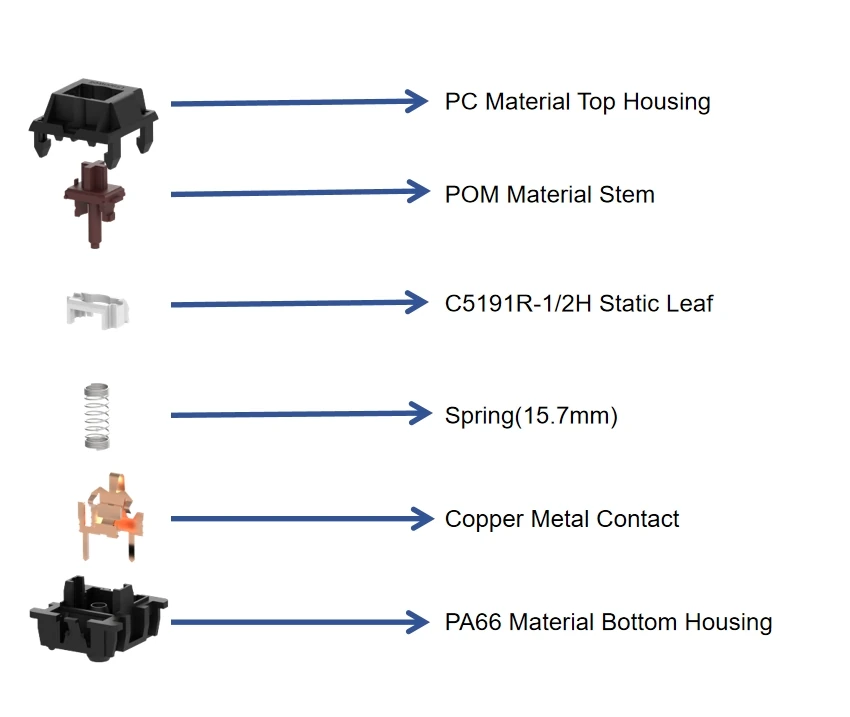
mechanical brown switch details view
However, different manufacturers’ Brown Switches vary in Stem Material, Spring Force, Tactile Structure, Housing Material, and Lubrication. Therefore, “Brown Switch” can only help users determine the general type and cannot completely determine the final feel.
How Does a Mechanical Brown Keyboard Switch Work?
When the user presses the keycap, the pressure is transmitted to the Stem. The Stem moves down along the housing guide structure, creating a change in resistance at a specific location, forming Tactile Feedback. Further pressure changes the circuit state of the Metal Contact, and the PCB recognizes the input through the keyboard matrix scan. Upon releasing the key, the Spring pushes the Stem back to its initial position, and the Contact returns to its corresponding state, preparing for the next press.
In short, the working process of a Mechanical Brown Keyboard Switch can be summarized as: Keycap pressed → Stem moves down → Tactile Structure generates a Tactile Bump → Metal Contact switches circuit state → PCB detects input → Keycap released → Spring pushes the Stem to reset.
It’s important to note that tactile feedback and electrical actuation are not entirely the same. The former primarily determines the resistance and tactile changes felt by the user, while the latter is related to contact and PCB detection logic. Therefore, the design of a brown switch also requires comprehensive control of stem displacement, contact travel, spring force, and assembly tolerances.
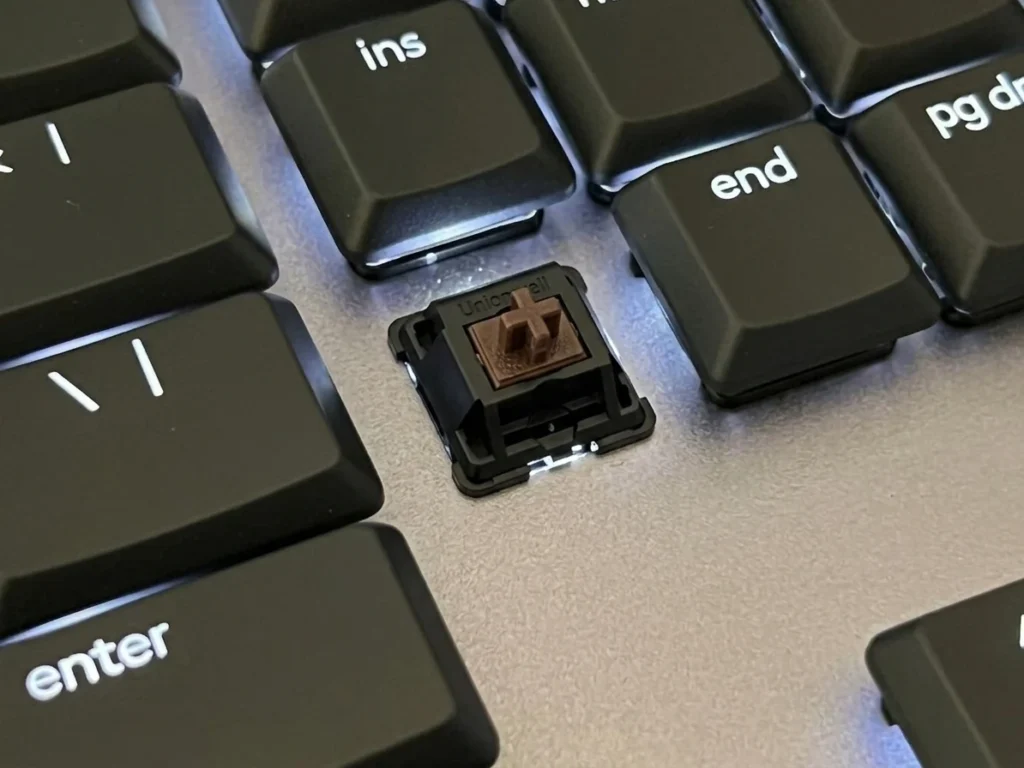
mechanical brown keyboard switch in the keyboard
What Does a Mechanical Brown Keyboard Switch Feel Like?
Tactile Feedback of a Mechanical Brown Keyboard Switch
The most distinctive feature of a Mechanical Brown Keyboard Switch is its tactile feedback. A tactile bump refers to the noticeable change in pressure when a key encounters a specific mechanical structure during the pressing process, allowing the user to clearly feel a point of resistance.
This feedback helps users determine whether a key has passed through a critical trigger area, which is especially suitable for extended typing sessions. However, the intensity of the tactile bump varies between different Brown Switches, ranging from slight to noticeable. In other words, differences in the shape of the tactile structure, spring force, and stem material all affect the final feel.
Mechanical Brown Keyboard Switch Typing Feel
For text input, office work, and programming, the advantage of a Mechanical Brown Keyboard Switch is its balance of tactile feedback and continuous input. Compared to the smoother pressing process of a Linear Switch, the Brown Switch provides additional feedback through tactile bumps, helping users perceive key movements. Meanwhile, it typically doesn’t rely on a separate click mechanism, resulting in a lower click sound compared to a clicky keyboard switch.
Mechanical Brown Keyboard Switch Sound
The actual sound of a Mechanical Brown Keyboard Switch is influenced by various structural factors, including the interaction between the stem and housing, the contact between the keycap and switch, stem rebound, spring resistance, and the effects of the plate, case, and PCB on the sound.
Even using the same Brown Switch, changing the plate or keycap material can produce significantly different sounds. Therefore, when comparing Brown Switches, attention should also be paid to the housing material, stem material, spring design, lubrication, and overall keyboard structure.
Advantages of Mechanical Brown Keyboard Switch
Balanced Tactile Feedback
A key advantage of the Mechanical Brown Keyboard Switch is its ability to provide clear tactile feedback during key presses, while avoiding the noticeable click texture of some Clicky Switches. This is suitable for users who want tactile feedback but don’t want an overly strong click feel. However, this doesn’t mean all Brown Switches have the same feedback intensity; the actual effect still depends on the specific product’s Force Curve and Tactile Structure.
Suitable for Both Typing and Gaming
Another feature of the Brown Switch is its versatility. In office work and text input, Tactile Feedback helps users perceive key presses; in games, it also meets the needs of repetitive operations and tactile feedback.
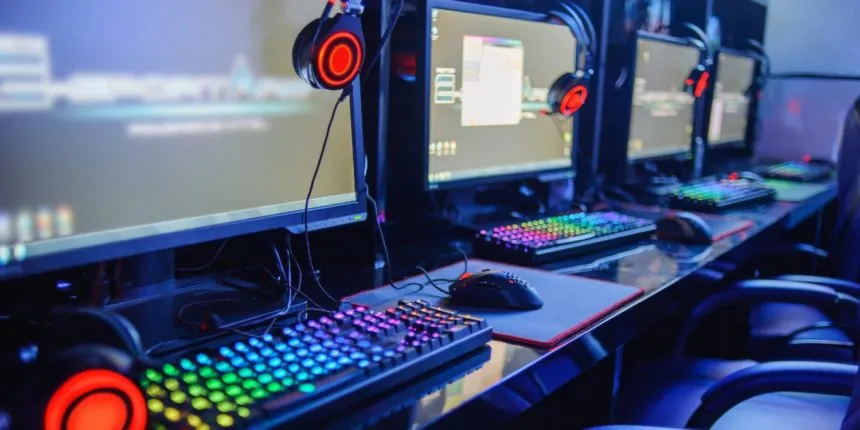
However, if using it on a gaming keyboard, it’s necessary to pay attention to the Brown keyboard switch’s Operating Force, Actuation Point, Reset Point, and Total Travel Distance. Different parameters directly affect the trigger speed and key press experience, impacting the user’s gaming experience.
Wide Range of Mechanical Brown Keyboard Switch Options
There are many types of brown switches on the market. Manufacturers can create different feel by adjusting spring, stem, housing, lubrication, actuation point, and travel distance. Spring force affects pressing pressure, stem geometry determines tactile bump, housing affects stability and sound, and lubrication affects smoothness. Therefore, brown switches can cover a wide range. Users are advised to check product videos or social media platforms to understand the specific sound effects before choosing one.
Mechanical Brown Keyboard Switch vs Other Keyboard Switch Types
Mechanical Brown Keyboard Switch vs Red Switch
The core difference between them is that brown switches are tactile switches, while red keyboard switches are linear switches. Red switches have a smoother pressing process, with continuous resistance changes and no obvious tactile bump; brown switches produce more noticeable resistance changes at specific points.
In terms of typing feel, red switches are smoother, while brown switches make it easier for users to feel the pressing points. In terms of gaming feel, both can be used on a gaming keyboard, but users who prefer continuous pressing may prefer the Red Switch, while those who value haptic feedback will prefer the Brown Switch.
Mechanical Brown Keyboard Switch vs Blue Switch
Both the Brown Switch and Blue Switch provide noticeable haptic feedback, but their feedback methods differ significantly. The Brown Switch primarily emphasizes tactile feedback, while the Blue keyboard switch combines tactile structure and click mechanics, typically providing a more distinct click sound and mechanical feedback during pressing.
For users who prefer noticeable typing feedback, the Blue Switch (louder, not recommended for use in public places) may be more appealing; while for users who want a tactile feel while avoiding noticeable click sounds, the Brown Switch is often more suitable.
Where Is the Mechanical Brown Keyboard Switch Commonly Used?
Mechanical Brown Keyboard Switch for Office and Daily Typing
Brown switches are frequently used in office and daily input settings. For users who type a lot every day, the tactile feedback provides a clear tactile feel, allowing them to intuitively perceive key movement.
Additionally, since Brown switches typically lack a pronounced click mechanism, they can satisfy users who want tactile feedback but don’t prefer a loud click sound.
Mechanical Brown Keyboard Switch for Gaming
Brown switches can also be used on gaming keyboards. For gamers who frequently use WASD keys, skill keys, and shortcut keys, the tactile bump of the Brown Keyboard Switch optimizes the user experience.
It’s important to note that the Mechanical Brown Keyboard Switch does not have Rapid Trigger or other advanced triggering features. Therefore, when choosing a Brown Switch for a gaming keyboard, you should review the full specifications, not just focus on the feel.
Mechanical Brown Keyboard Switch for Custom Keyboards
Brown switches are also a common choice for custom mechanical keyboards. Custom keyboard enthusiasts, besides replacing the keyboard switch, further adjust keyboard performance by considering factors such as spring, lubrication, keycap, and plate. Brown switches offer significant tuning flexibility for custom keyboards, allowing some users to find the perfect keyboard for their needs.
Conclusion
As a type of tactile keyboard switch, the mechanical brown keyboard switch focuses on balancing tactile feedback with the overall typing experience, covering applications such as office work, typing, programming, gaming, and custom mechanical keyboards. However, since there is no completely unified standard for feel, users should comprehensively evaluate factors such as operating force, actuation point, travel distance, tactile feedback, sound performance, and actual usage scenarios when choosing one.
As a keyboard switch manufacturer, a stable mechanical brown keyboard switch requires not only a reasonable tactile structure but also stable material properties, precise mold processing, accurate component assembly, and strict batch consistency control. Only when the mechanical structure and manufacturing process reach a stable state can different batches of Brown Switch maintain relatively consistent trigger, rebound, and press performance, providing users with a reliable input experience.