
Blog
What Lube to Use for Mechanical Keyboard Switches for Better Typing Feel?
As the mechanical keyboard market continues to develop, more and more users are paying attention to the detailed optimization of mechanical keyboard switches. For mechanical keyboard enthusiasts, in addition to the design parameters of the switches themselves, lubrication is also a crucial factor affecting the typing feel of a mechanical keyboard switch.
This article will provide a detailed introduction to commonly used lubricants for mechanical keyboard switches, lubrication selection for different switches, correct lubrication steps, and common mistakes, helping users to more scientifically optimize their mechanical keyboard input experience and find a typing feel that better suits their needs.
Why Lubrication Matters for Mechanical Keyboard Switch Performance
Lubricant in mechanical keyboard switches is mainly used to reduce friction, improve keystroke smoothness, and optimize sound performance. Although the switches are precisely designed, friction will still occur in the internal components over time, affecting the typing feel.
Taking the movement of the switch stem as an example, excessive friction when the stem moves along the track can cause a feeling of obstruction for the user, reducing the continuous typing experience. At the same time, the spring may produce noise during its rebound. Appropriate lubrication can reduce vibration and friction, making the switch run more smoothly and the sound cleaner.
For mechanical keyboard switches, proper lubrication primarily improves performance in the following ways:
- It reduces friction during switch movement, decreasing resistance and making keystrokes smoother.
- It reduces spring noise, improving some spring-related issues and resulting in a more stable overall sound.
- It improves keystroke smoothness, providing a more continuous keystroke feel (especially on linear keyboard switches).
- It reduces unnecessary friction noise, optimizing sound performance.
- It enhances the long-term typing experience, reducing finger strain and improving overall comfort.
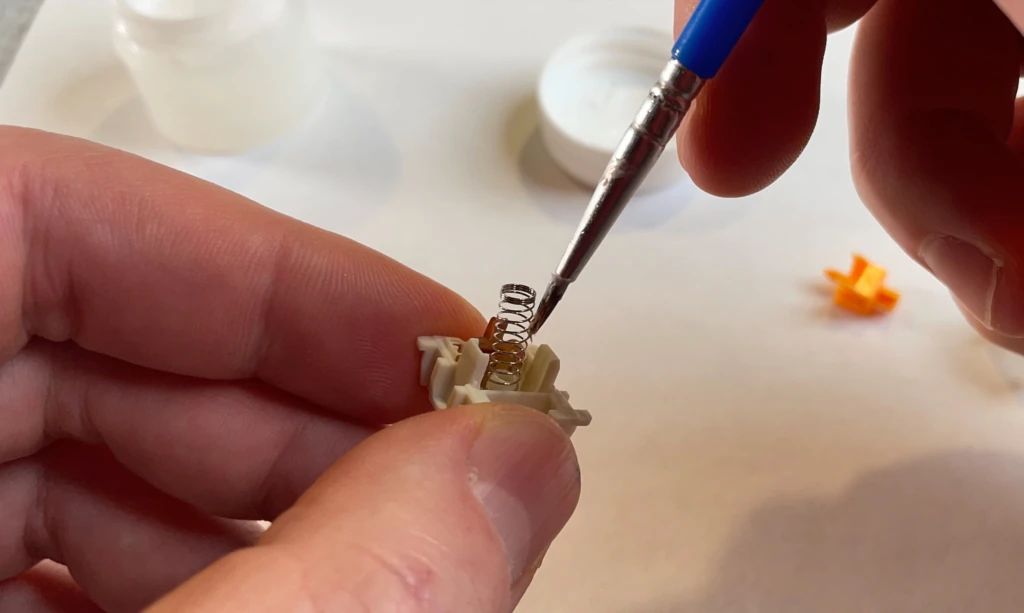
proper lubrication
However, it’s important to note that lubrication does not alter the core structural characteristics of a mechanical keyboard switch (the switch’s operating force, travel distance, actuation method, and feedback type). These factors are mainly determined by the switch’s internal structure, spring specifications, and manufacturing design. Lubrication optimizes performance based on the existing structure, rather than altering the switch itself. Therefore, before optimizing lubrication, users should first understand the switch’s design features.
How to Choose the Right Lube for Different Mechanical Keyboard Switches?
Choosing the right lubricant is an important step in improving the feel of your mechanical keyboard switch. Different keyboard
switches have different requirements for lubricants due to different internal structures and feedback targets. When choosing a lubricant, you need to consider the type of switches, the usage scenario, and the desired feel effect.
Lube Selection for Linear Mechanical Keyboard Switches
Linear mechanical keyboard switch is a switch with no obvious sense of passage and continuous pressing experience. When optimizing, users usually focus on smoothness, sound performance and pressing consistency. The lubricant is mainly used to reduce the friction in the contact area between the switch and the housing and improve the noise generated by the spring movement.
When lubricating the keyboard switch, focus on the sliding positions on both sides. Appropriate lubrication can improve the smoothness of the descent and rebound process. The amount of spring lubrication needs to be controlled to avoid affecting the rebound speed and trigger response. If the switch itself is relatively smooth, excessive lubrication may increase resistance. Therefore, the core of lubrication of Linear mechanical keyboard switch is to maintain natural smoothness, rather than relying on a large amount of lubricant to change the feel.
Lube Selection for Tactile Mechanical Keyboard Switches
The biggest difference between the Tactile mechanical keyboard switch and the Linear switch is the internal structure that generates segment feedback, allowing users to feel obvious tactile changes when pressing. Since the tactile mechanism is one of the core designs of this type of switch, more caution is required when lubricating it.
The main function of lubricant is to reduce unnecessary friction, not to eliminate the feedback feeling. Excessive lubrication, especially covering key areas of the tactile bump, may weaken the sense of passage. Therefore, the lubrication of the Tactile mechanical keyboard switch focuses on precise application and control of dosage, giving priority to the switch sliding area, while retaining the original tactile feedback, achieving a balance between smoothness, stable triggering and comfortable feel, and preventing the application of lubricant from affecting the original characteristics of the switch.
Lube Selection for Clicky Mechanical Keyboard Switches
Clicky mechanical keyboard switch produces obvious sound feedback through structures such as click jacket or click bar, so more caution is required when lubricating. Unlike Linear and Tactile switches, the lubrication of Clicky switches not only affects the smoothness, but also changes the click sound and feedback effect. Excessive lubrication or the use of high-viscosity lubricants may weaken the movement performance of the click mechanism, weaken the sound, and even affect the user experience.
Therefore, when lubrication should focus on the friction area between the stem and the housing, and avoid over-processing the click structure. There are differences in the structure of Clicky switch stems of different brands and models, and the lubrication scheme also needs to be adjusted according to needs. The goal of reasonable lubrication is to reduce unnecessary noise and improve the overall user experience while retaining clear click feedback. Users need to fully understand the stem structure before operation to avoid incorrect lubrication affecting the sound performance they want.
How to Lube Mechanical Keyboard Switches Correctly?
Lubricating mechanical keyboard switches requires experience and patience. The actual effect is affected by factors such as the type of lubricant, the application area, the amount used, and the switch structure. Proper procedures not only prevent switch damage but also help improve the stability and smoothness of typing.
Prepare the Right Tools
Before starting to lubricate the mechanical keyboard switch, you need to prepare the appropriate tools. The right tools not only improve operational efficiency but also reduce the impact on the switch structure during disassembly. Common tools include:
- Switch Puller: A dedicated switch puller can reliably release the housing clips when removing the mechanical keyboard switch, reducing the risk of damage.
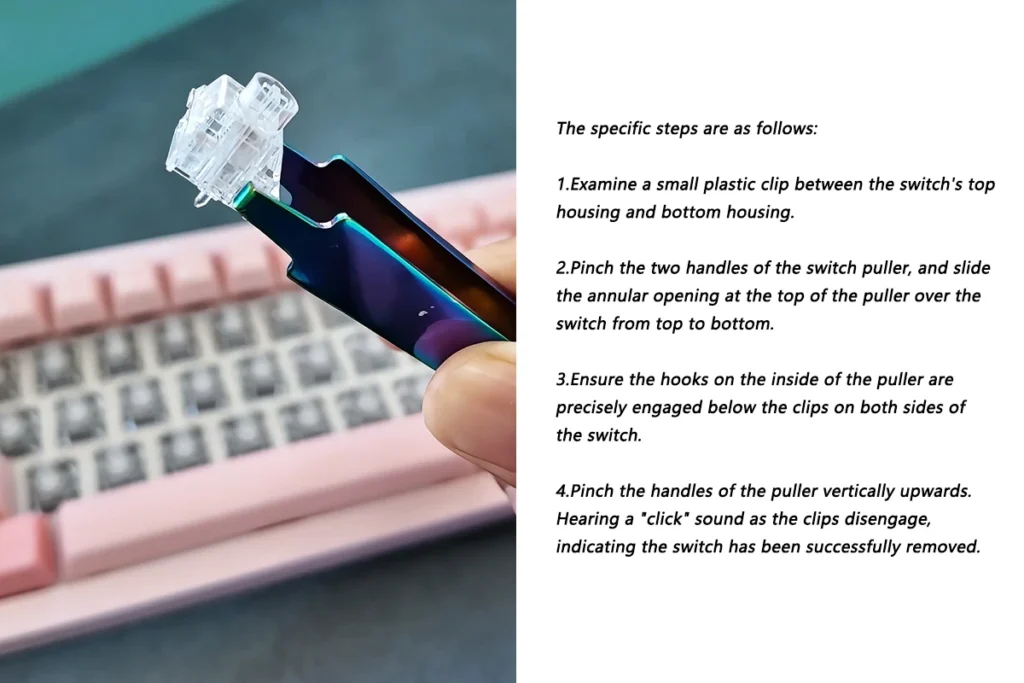
switch puller using guide
- Small Lubricating Brush:A small, soft brush can evenly apply lubricant to the designated area inside the switch, avoiding excessive application that could affect switch feedback.
- Lubricant: Linear, Tactile, and Clicky switches have different lubrication requirements and need to be selected based on their specific structure.
- Switch Disassembly Tool: Used to disassemble the switch housing, reducing the risk of damage to the stem, spring, and housing clips.
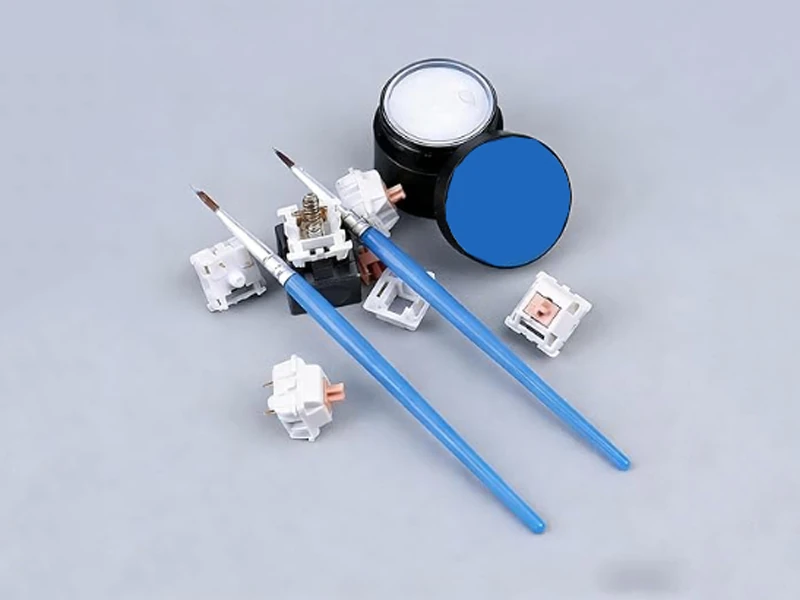
other lubricant tools
- Clean Workbench: This prevents loss or dust contamination of parts during lubrication, as multiple small components will be handled.
For some specialized keyboard structures, tweezers, a storage box, and lighting tools may also be necessary. If disassembling a mechanical keyboard switch with a special design, ensure the tools are compatible beforehand to avoid damaging the switch housing or affecting subsequent reassembly.
Disassemble the Mechanical Keyboard Switch Carefully
Before lubricating the mechanical keyboard switch, a switch disassembler is required. Due to the delicate internal structure of the switch, maintain stability during operation and avoid excessive force. Secure the housing first, then use the switch disassembler to release the top clips. Handle the stem, spring, and housing clips carefully to avoid damaging components or affecting the stability after reassembly. Different switch models have different structures; therefore, confirm the specific model and internal design before lubrication and choose the appropriate disassembly method.
Apply a Thin and Even Layer of Lube
The amount of lubricant used is a crucial factor affecting the feel of a mechanical keyboard switch, but more is not always better. Excessive lubrication can increase internal resistance of the switches, resulting in slower key rebound, a heavier feel, and inconsistent typing.
For tactile mechanical keyboard switches, too much lubricant can also weaken the tactile bump feedback; for clicky mechanical keyboard switches, it can affect the sound performance of the click mechanism. The correct method is to use a fine brush to apply a small amount of lubricant evenly to the areas that need treatment. The goal of lubrication is to reduce friction, not to fill the inside of the switches with lubricant. For linear switches, focus on lubricating the sliding area of the stem and the spring; for tactile and clicky switches, avoid key feedback structures.
Test the Mechanical Keyboard Switch After Lubrication
After lubricating a portion of the switches, it is recommended to test a small number of switches with a switch tester to observe the smoothness of key presses, rebound speed, sound performance, and actuation stability. If you experience slow pressing, weak feedback, or insufficient rebound, it may indicate excessive lubricant or incorrect lubrication.
Small-scale testing can reduce operational risks and help users find a more suitable lubrication solution. After confirming that the lubricated switches meet the requirements, continue lubricating all switches until all mechanical keyboard switches are reinstalled in the keyboard.
Common Mistakes When Lubing Mechanical Keyboard Switches
Using Too Much Lube
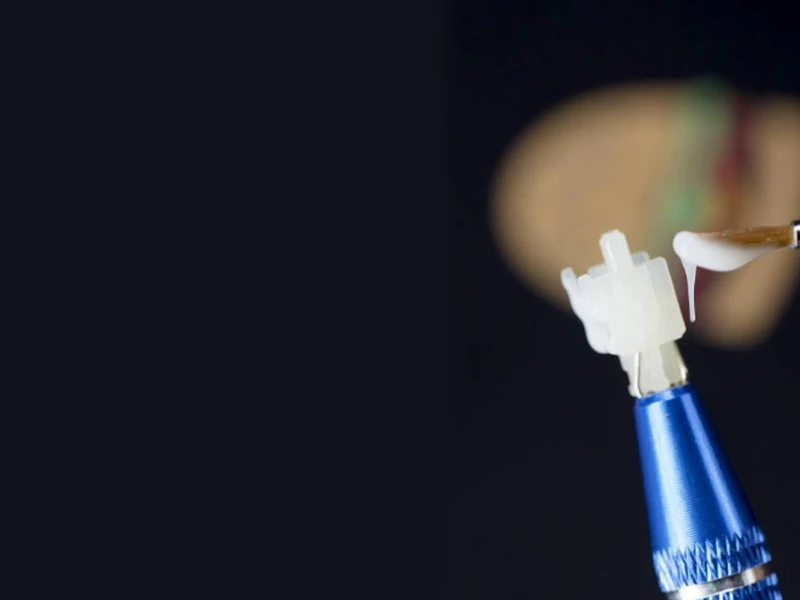
Overusing lubricant is a common problem when lubricating mechanical keyboard switches. Some beginners hope to increase the amount of lubricant for a more noticeable effect, but in reality, too much lubricant not only fails to improve smoothness but may also increase the resistance of the switches, reduce the keystroke speed, and weaken the original feedback of some switches. Therefore, lubrication should follow the principle of small amounts, adjusted multiple times, avoiding adding too much lubricant at once.
Using the Same Lube for Every Mechanical Keyboard Switch
Different types of mechanical keyboard switches have different structures and lubrication requirements. Linear switches prioritize smoothness, Tactile switches emphasize balanced feedback, and Clicky switches focus on sound performance. Therefore, before lubricating, it is necessary to understand the characteristics of the switches and choose the appropriate lubrication method to avoid affecting the original feel.
Ignoring the Original Switch Design
Every mechanical keyboard switch has its own design goals. Manufacturers determine the final performance of the switches through the shape of the stem, spring parameters, housing structure, and material ratios. Lubrication aims to optimize, not completely alter, the characteristics of the mechanical keyboard switch. Therefore, when lubricating, the design logic of the mechanical keyboard switch should be respected, and adjustments made according to actual needs.
Lubing Without Testing
Lubricating a large number of mechanical keyboard switches at once can easily lead to difficulties in later adjustments, such as disassembly. It is recommended to test a small number of switches first to confirm the type and amount of lubricant used and the actual feel before proceeding with batch processing. This reduces risk and achieves more precise optimization results.
Can Lubing Improve Every Mechanical Keyboard Switch?
Lubrication can improve the friction and sound performance of a mechanical keyboard switch, but it cannot solve the structural problems of the switches themselves. If the switches themselves have issues, lubrication alone cannot improve them. High-quality mechanical keyboard switches require attention to several aspects during the manufacturing stage: switch structure design, spring performance, housing fit precision, material selection, and manufacturing consistency.
A reasonable switch structure, spring force, housing, and superior materials are essential to ensure stable performance during the manufacturing stage. Combined with proper lubrication by the user, this allows for optimization and achieves the desired smoother, more comfortable, and consistent typing experience.
Conclusion
Choosing the right lubricant plays a crucial role in improving the smoothness, sound performance, and overall typing feel of a mechanical keyboard switch. When lubricating the switches, users should use a lubrication method appropriate to the switch structure and their actual needs, improving friction while preserving the original design characteristics of the mechanical keyboard switch.
For keyboard switch manufacturers, in addition to offering mechanical keyboard switches with different operating forces, structural designs, and tactile feel types, it is also necessary to provide users with stable and consistent switch products through precision manufacturing processes, material optimization, and strict quality control. In the future, mechanical keyboard switches will continue to offer users a wider range of input options through structural innovation, manufacturing technology upgrades, and personalized designs.