
Blog
What to Do If Your Keyboard Switch Gets Wet?
The keyboard switch is the core component of a keyboard that completes key input. It needs to work in conjunction with the keycaps, PCB, and control circuitry to accurately convert the user’s keystrokes into input signals. Therefore, when liquid is spilled on a keyboard, the issue is not simply whether there is water on the keyboard surface. If the liquid enters the keyboard switch or the PCB, it can affect both mechanical movement and electrical performance.
Furthermore, the type of liquid also affects the difficulty of subsequent handling. Therefore, a keyboard switch should not be immediately re-powered and tested after water damage. A more reasonable handling process is Disconnect → Inspect → Clean → Dry → Test → Replace if necessary. The following sections analyze the inspection and cleaning methods for mechanical and magnetic keyboard switches after water damage.
What Happens When a Keyboard Switch Gets Wet?
How Water Affects a Mechanical Keyboard Switch
A mechanical keyboard switch consists of components such as the Housing, Stem, Spring, Contact, and Terminal. When the user presses the keycap, the Stem actuates the internal structure, causing the Contact to switch its electrical state at a designated position. When a mechanical keyboard switch gets wet, the moisture can alter the friction between the stem and housing, causing keys to become sluggish, slow to rebound, or sticky. Prolonged moisture retention can also increase the risk of oxidation and corrosion of metal components such as the spring and contact plate.
How Sugary Liquids Affect a Mechanical Keyboard Switch
Liquids like juice and coffee require more attention than simple water, as evaporation may leave behind residues of sugar, acidic substances, and minerals. When sugary liquids enter the switch housing, the water evaporates, but the sugar remains and may adhere to the contact area between the stem and housing, increasing resistance and causing keys to become stiff, stuck, or slow to rebound. For contamination from beverages, the real issue to address is the residue itself, not just the water.
How Water Can Affect a Magnetic Keyboard Switch
Magnetic keyboard switches detect stem position by detecting changes in the magnetic field of a magnet and a hall-effect sensor. Therefore, after water damage, attention should be paid to components such as the stem, magnet, housing, and sensor PCB. If liquid enters the stem movement area, it may cause a decrease in stickiness or return speed; if there are contaminants around the magnet, their position must also be checked to see if it has changed.
More importantly, the sensor PCB. Liquid entering the sensor or PCB area may cause signal abnormalities, unstable position detection, or even failure to recognize buttons. Therefore, magnetic keyboard switches cannot be treated exactly like mechanical keyboard switches, and in particular, large amounts of cleaning fluid should not be sprayed on them without understanding the sensor PCB structure.
What Should You Do Immediately When a Keyboard Switch Gets Wet?
Disconnect Power From the Keyboard Switch System
After a liquid spill on the keyboard, the first step should be to disconnect the power, not to continue pressing the keys to test it. If it’s a wired keyboard, immediately disconnect the USB connection. If it’s a wireless or tri-mode keyboard, turn off the keyboard power, and ideally disconnect or remove the battery.
This is because liquid entering the PCB can create unintended conductive paths when the circuit is powered on; a humid environment also increases the risk of oxidation and corrosion of metal components. Therefore, do not test whether the keyboard still works by continuously pressing the keys, as this may cause the liquid to spread further to the switch, PCB, or other circuit areas.
Remove Excess Liquid From the Keyboard
After disconnecting the power, handle any visible liquid on the keyboard surface as soon as possible. Gently absorb the liquid with absorbent material, avoiding vigorous rubbing or shaking to prevent the liquid from spreading further along structures such as the keycap, switch housing, and plate.
If the spill area is large, you can remove the keycap and other structures to inspect the contaminated area. Do not power on the keyboard immediately, nor use high-temperature tools to dry it. The primary goal should be to minimize further liquid penetration.
Do Not Immediately Power On the Keyboard Switch
Even if the keyboard surface appears dry, it does not mean there is no residual liquid inside the switch and PCB. Water may accumulate in the confined space of the switch housing and under PCB components. Immediately powering on may affect the electrical condition. Therefore, do not power on the keyboard until inspection, cleaning, and thorough drying are complete. For keyboards with severe spills, further disassembly may be necessary depending on the type and location of the liquid.
How to Check a Wet Mechanical Keyboard Switch?
Inspect the Mechanical Keyboard Switch Housing
First, remove the keycap and check the area around the Mechanical Keyboard Switch Housing for water droplets, liquid traces, sugar residue, stains, or sticky contaminants formed by a mixture of dust and liquid. If the liquid is only on the outside of the keycap and switch, external cleaning is sufficient; immediate disassembly of the switch is not necessary.
If liquid has entered the housing, further evaluation of cleaning needs is required. Sugary drinks, in particular, can leave sticky residue even after evaporation.
Check the Mechanical Keyboard Switch Stem and Spring
Checking the keyboard switch stem is a crucial step in assessing mechanical performance. After disconnecting the power, gently press the stem and observe whether the movement is smooth, the trajectory stable, and the rebound normal. Changes in resistance, jamming, or slowed rebound likely indicate liquid residue or mechanical contamination.
Also, check the spring for deformation or decreased rebound force. If the press feel and return speed of the faulty button are significantly different from those of an adjacent working switch, further disassembly and inspection of its internal structure are necessary.
Check the Mechanical Keyboard Switch Contact and PCB
Mechanical and electrical faults in the Mechanical Keyboard Switch may coexist. If double typing, chatting, missed triggering, or no response persists after thorough drying, further inspection of the contact, switch pins, and PCB is required. Liquid residue near the contact may affect contact reliability; contamination or oxidation of the pins may also cause connection abnormalities. Also check the area around the PCB for watermarks, residue, or signs of corrosion.
How to Check a Wet Magnetic Keyboard Switch?
Check the Magnetic Keyboard Switch Stem and Magnet
When checking a magnetic keyboard switch, first focus on the switch stem. If liquid remains between the stem and housing, it may increase resistance. Therefore, check the press feel, return speed, and overall smoothness of movement.
Next, check the magnet. Since the switch relies on the relative position of the magnet and the hall-effect sensor for detection, magnet misalignment may affect the actuation point and signal recognition. Therefore, ensure its position is normal and stable.
Check the Hall Effect Sensor and PCB
The hall-effect sensor is the main difference between a magnetic keyboard switch and a mechanical keyboard switch. If liquid has entered the sensor area, check the sensor PCB for moisture, residue, stains, or corrosion.
If the keyboard fails to trigger, has abnormal actuation points, or unstable signals after water damage, do not only check the stem; also check the hall-effect sensor and PCB circuitry for proper functioning. If the PCB is damaged, replacing the switch will not solve the problem.
Why Magnetic Keyboard Switches Need a Different Inspection Method
Mechanical keyboard switches primarily rely on contacts, springs, stems, and housings to complete mechanical movements and electrical switching. After liquid contamination, the focus should be on checking contact reliability, mechanical movement, and PCB connection.
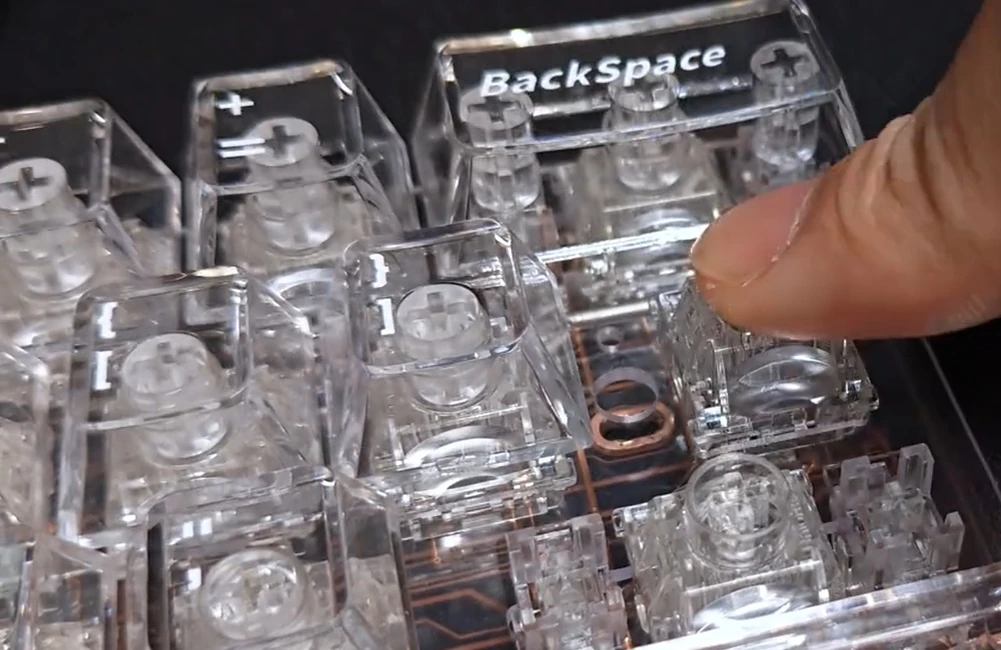
magnetic keyboard switch
Magnetic keyboard switches, on the other hand, rely on magnet position, hall-effect sensors, the PCB, and signal detection. Therefore, the inspection focus differs: for mechanical switches, the focus is on contacts and mechanical triggering; for magnetic switches, it is also necessary to confirm whether the detection relationship between the magnet and sensor is normal.
How to Clean a Wet Mechanical Keyboard Switch?
Clean the Exterior of the Mechanical Keyboard Switch
If the liquid is mainly on the outside of the keycap and switch, start with external cleaning. After removing the keycap, treat the liquid and residue on the switch housing surface using methods suitable for electronic devices.
For sugary drinks, even if the surface is dry, sticky residue may remain. Focus on cleaning the contaminated areas and observe if the stem returns to normal operation. However, there’s no need to extensively disassemble the keyboard for minor contamination; the depth of repair should match the degree of contamination.
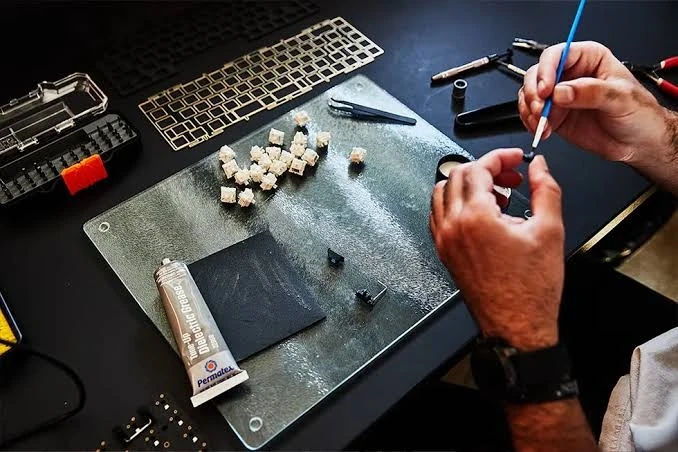
clean the mechanical keyboard switch
Clean Liquid Residue Inside the Mechanical Keyboard Switch
If it’s confirmed that liquid has entered the switch, the cleaning focus is not just on removing moisture but also on removing residue. For some electronic devices, consider using high-purity 99% Isopropyl Alcohol (IPA) for cleaning, but you must first confirm the compatibility with the internal materials of the switch.
Mechanical keyboard switches may contain different plastics, rubbers, or elastic materials, and some silicones or rubbers may have compatibility issues with certain solvents. Therefore, it should not be assumed that any cleaning agent is suitable, nor should large amounts be poured into the switch or PCB. If material compatibility cannot be confirmed, the cleaning and maintenance requirements provided by Keyboard customer service should be followed first.
When a Wet Mechanical Keyboard Switch Should Be Disassembled
Whether to disassemble the Mechanical Keyboard Switch should be determined based on the extent of liquid ingress and the symptoms of the malfunction. If the liquid is only on the outside of the keycap and housing, and the stem is moving normally, external cleaning can be performed first. If the liquid has entered the housing, or problems such as stickiness, decreased return speed, double typing, or chatting occur, deep cleaning can be considered.
However, disassembly carries risks. Improper use of the switch opener may damage the housing; during reassembly, incorrect positioning of the stem, spring, or contact may also cause new malfunctions. Therefore, inexperienced users should not forcibly disassemble the switch due to minor contamination and should confirm beforehand whether it will affect the warranty.
How to Clean a Wet Magnetic Keyboard Switch?
Avoid Directly Contaminating the Hall Effect Sensor
The hall-effect sensor of a magnetic keyboard switch is the core of signal detection and requires extra care during cleaning. Because its detection mechanism differs from the contact detection of a mechanical keyboard switch, large amounts of cleaning fluid should not be sprayed into the sensor area to avoid damaging electronic components. Cleaning should be done in a controlled manner to prevent liquid accumulation on the sensor PCB.
Clean the Magnetic Keyboard Switch Housing and PCB Carefully
If liquid enters the housing, first remove contaminants around the stem and confirm that mechanical movement has returned to normal. If the PCB is also contaminated, choose an appropriate cleaning method based on the PCB material, electronic components, and degree of contamination, avoiding leaving any liquid or residue.
For sugary drinks, ensure all residue has been removed. If the sensor PCB is corroded, components are damaged, or the signal is abnormal, cleaning the housing alone may not solve the problem; professional repair is recommended.
Check the Magnet Position After Cleaning
After cleaning and reassembly, check the Magnet Position. If the Magnet is not properly positioned, it may cause changes in the Actuation Point, or even result in unstable detection. Therefore, testing the Magnetic Keyboard Switch after cleaning involves not only checking if it can be typed, but also verifying the stability of the Signal Response under different key positions.
How to Test a Keyboard Switch After It Gets Wet?
Use Airflow to Dry the Keyboard Switch
Residual moisture may continue to affect the contacts, PCB, and other electronic components. Especially when there are multiple components and confined spaces on the PCB, surface dryness does not prove that the interior is completely free of moisture. After disassembling the keyboard, expose the affected areas as much as possible to help the residual moisture evaporate.
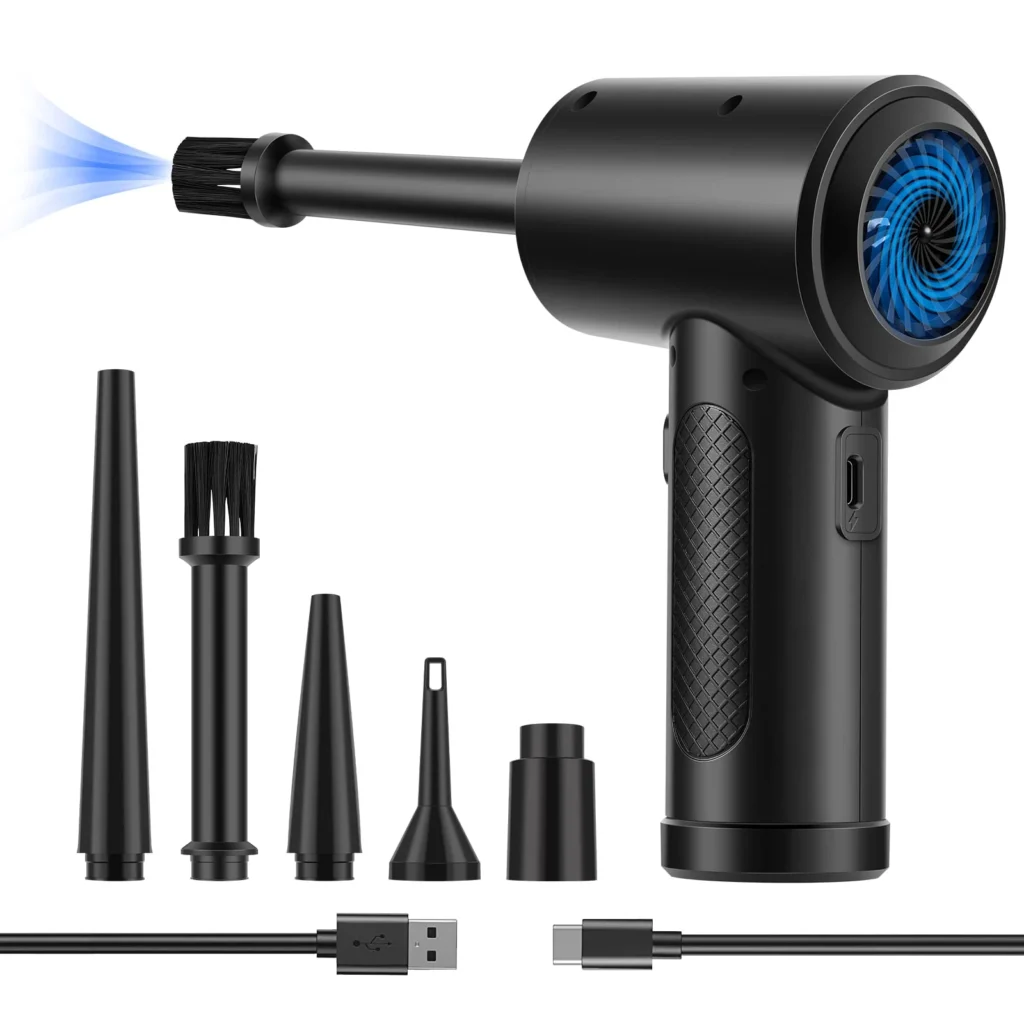
drying tools
Drying can be done using natural airflow or by using a fan to provide a continuous, gentle airflow. Avoid using a hairdryer with high heat to prevent deformation of plastic housings, stems, and other components. The key to drying is not rapid heating, but allowing the residual liquid to evaporate gradually.
Specific Testing Methods After Drying
After cleaning and drying the keyboard switch, a complete test is required, not just checking if the keyboard can type:
- Check if the stem is smooth, if there is stickiness, and if the rebound is normal. If there is still a significant change in resistance or abnormal return speed when pressing, the mechanical structure may not have fully recovered.
- Check if the keys can be stably triggered, focusing on whether there is double typing, chatting, or missed triggers.
- Compare the cleaned switch with an adjacent normal switch. If the mechanical feel has been restored, but the input is still abnormal, further inspection of the PCB, socket, contact, or sensor is needed.
When Should You Replace a Wet Keyboard Switch?
When a Wet Mechanical Keyboard Switch Can Be Reused
If a mechanical keyboard switch has only been slightly wetted, with no obvious residue, corrosion, or mechanical damage, and after cleaning and thorough drying, the Stem Movement, Return Speed, Actuation, and Contact Reliability all return to normal, and the mechanical feel is not significantly changed, then it can usually continue to be used. There is no need to replace it immediately due to a minor liquid contact.
When a Mechanical Keyboard Switch Should Be Replaced
If severe contact corrosion, persistent double typing, or unstable triggering persists after thorough drying, it is recommended to replace these malfunctioning switches. For switches whose internal mechanical structure has suffered irreversible damage, replacing the keyboard switch is more manageable than continued repair.
When a Magnetic Keyboard Switch Should Be Replaced
If only the magnetic keyboard switch is contaminated, it can be restored by cleaning or replacement; if the Hall-effect sensor or PCB has obvious electrical damage, replacing the switch usually will not solve the problem, and warranty repair is recommended. If the Magnet Position cannot be restored, the testing performance must be reassessed.
Conclusion
The most important principle for handling a water-damaged Keyboard Switch is not “dry it immediately and continue using it,” but rather to follow the step-by-step process: Disconnect Power → Remove Liquid → Inspect → Clean → Dry Completely → Test → Replace if Necessary. Whether or not the Keyboard Switch needs replacement should be determined based on its actual performance after cleaning, thorough drying, and complete testing.
For Keyboard Switch manufacturers and product designers, a reasonable structural design, stable material properties, and consistent manufacturing tolerances can help the Keyboard Switch maintain more stable mechanical movement and electrical performance during long-term use, reducing the possibility of liquid ingress.