
Blog
Which Keyboard Switch Is Right for You? A Complete Buying Guide
As the mechanical keyboard market continues to develop, more and more users are paying attention to the impact of keyboard switches on the typing experience. From esports players and office users to custom keyboard enthusiasts, different groups have significantly different needs regarding switch types.
However, faced with a wide variety of keyboard switch products on the market, many consumers are unsure which one is best for them. Currently, there are different technological solutions available, including mechanical keyboard switches, magnetic keyboard switches, and inductive keyboard switches. This article will analyze these solutions from the perspectives of technical principles, tactile characteristics, usage scenarios, and purchasing advice to help you understand their features and choose the product that best suits your needs.
Understanding Different Keyboard Switch Technologies
Mechanical Keyboard Switch Explained
The mechanical keyboard switch is currently the most mature and widely used keyboard switch. It uses an independent mechanical structure design, with each key corresponding to an independent switch. Each switch contains precision parts such as a spring, slider, and metal contacts. When the user presses a key, the slider moves the internal structure, causing the metal contacts to make contact, thus completing the signal input.
Thanks to its mature and reliable mechanical structure, the mechanical keyboard switch boasts high durability, with a mechanical lifespan reaching tens of millions or even hundreds of millions of keystrokes. Furthermore, different switch types can achieve a wide variety of tactile sensations through internal structural design, providing users with ample choice.
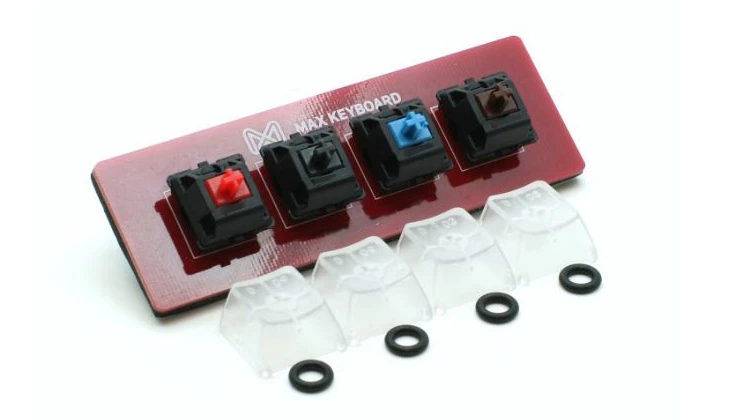
After years of development, the mechanical keyboard switch industry has formed a complete supply chain, offering a rich variety of product models and high compatibility. This technology is widely used in both entry-level mechanical keyboards and custom keyboards.
What Is a Magnetic Keyboard Switch?
The magnetic keyboard switch is a rapidly developing product in recent years. Its core principle is based on Hall Effect magnetic induction technology. Unlike mechanical switches that rely on metal contacts for conduction, the magnetic keyboard switch contains a magnet inside the switch. When a key is moved, the magnetic field strength changes. Sensors on the keyboard detect the magnetic field change in real time and calculate the key position; the entire triggering process requires no physical contacts.
Because it can continuously detect key movement, the magnetic keyboard switch supports many new functions. For example, users can freely adjust the actuation distance, setting the trigger distance according to their own preferences. Meanwhile, the Rapid Trigger function dynamically identifies key release positions, significantly improving continuous operation speed, making it popular among FPS, MOBA, and other competitive game players.
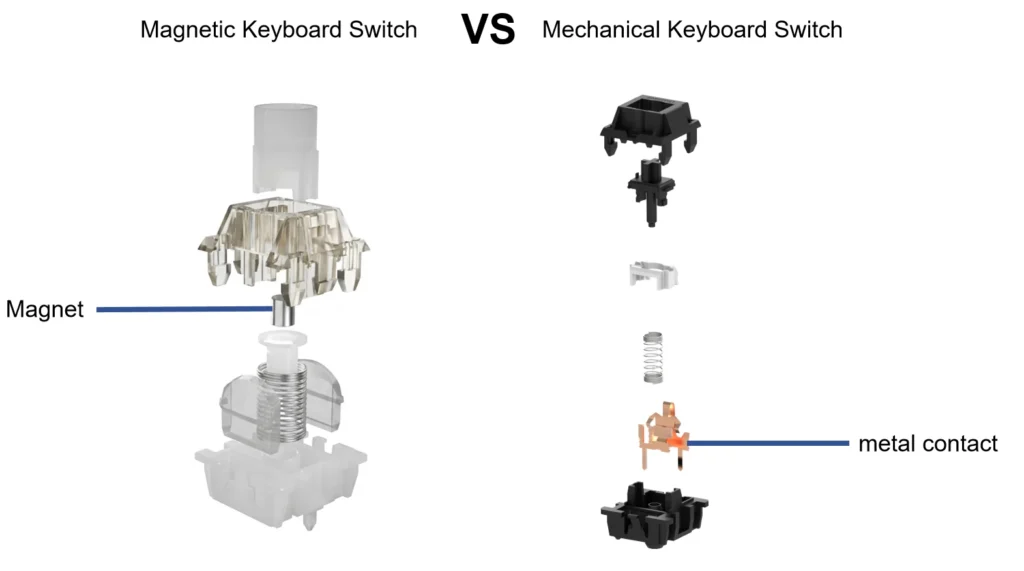
Furthermore, magnetic switches maintain high consistency and stability, resulting in more stable triggering performance over long-term use. However, due to the need for Hall sensors and dedicated control schemes, their overall cost is slightly higher than mechanical switches. In general, the three technologies each have their own characteristics and are optimized for different user needs; there is no inherent superiority or inferiority among them.
How Does an Inductive Keyboard Switch Work?
An inductive keyboard switch is another type of non-contact keyboard switch. Its working principle is based on electromagnetic induction, determining key position by detecting changes in inductance parameters during key movement, without relying on mechanical contacts to complete signal input.
Because there is no metal contact wear, inductive keyboard switches maintain high input consistency over long-term use, while also possessing excellent stability and durability. They are mainly used in some high-end mechanical keyboard products and still have significant future development potential.
How to Compare Different Keyboard Switch Options
Comparing Keyboard Switch Appearance
Different keyboard switches typically use different colors to distinguish different feel types. Red, Black, Brown, and Blue are common industry-standard markings, allowing consumers to quickly identify different switch types.
However, it’s important to note that color schemes are not entirely uniform across brands. Furthermore, some brands have released special color schemes such as Silver, White, and Purple, which do not necessarily represent a unified feel standard. Therefore, when purchasing a keyboard switch, color should only be used as a preliminary indicator; the final judgment should be based on a comprehensive consideration of the product specifications, technical parameters, operating force, total travel, and actual feel.
Comparing Keyboard Switch Operating Force
Operating Force is a crucial parameter for evaluating keyboard switch feel. It represents the amount of force required to actuate the keyboard switch, measured in grams (gf).
Lighter operating force reduces fatigue during extended typing sessions, making it ideal for office users and gamers who require continuous typing. Meanwhile, lighter pressure helps players complete rapid, continuous keystrokes, improving operational efficiency.
While greater pressure requires more force to press, it effectively reduces the probability of accidental presses, making each input more stable and reliable. Therefore, it is favored by some programmers, writers, and users who prefer solid key feedback.
Different keyboard switches have different characteristics in their pressure design. Even within the same type of feel, there can be significant differences between different products. Therefore, this parameter should be a key consideration before purchasing.
Comparing Keyboard Switch Feel
Feel is the most direct reference factor for consumers when choosing a keyboard switch. Linear keyboard switches are suitable for users who prioritize fast response and continuous operation; tactile keyboard switches are suitable for users who want a balance between comfort and accuracy; clicky keyboard switches are more suitable for users who prefer the experience of mechanical keyboards.
In summary, each keyboard switch is optimized for different usage needs. Users should choose based on their own usage habits, rather than simply relying on online reviews.
Understanding Keyboard Switch Feel Types
As mentioned above, the main feel types of keyboard switches on the market are Linear, Tactile, and Clicky. Even with different technologies, they may share the same feel type. Therefore, understanding the characteristics of different feel types helps in choosing the right keyboard for you.
Linear Keyboard Switch
Linear keyboard switches use a linear motion, with no tactile feedback or clicking sound during the entire pressing process, providing a very smooth and fluid typing experience.
Mechanical Red Switch and Mechanical Black Switch are both Linear type. Red Switch has a relatively lighter operating force, making the keys easier to actuate and effectively reducing hand fatigue during long gaming sessions, thus making it popular among esports players. Black Switch, on the other hand, requires more force to actuate, making it more suitable for users who prefer a heavier key feel or want to reduce accidental keystrokes.
In addition, most magnetic and inductive keyboard switches on the market also use a Linear design. Different brands offer varying levels of tactile force and actuation travel based on product positioning, allowing users to choose a typing experience that best suits their personal preferences.
Tactile Keyboard Switch
The biggest feature of a tactile keyboard switch is its subtle tactile feedback at the key actuation point. As the key passes the actuation point, the user can clearly feel a slight change in resistance, clearly knowing that the key has been pressed down without needing to fully press it to the bottom.
This feedback doesn’t produce noticeable noise like clicky keyboards and provides easier confirmation of input than linear keyboards, balancing accuracy and comfort. The Mechanical Brown Switch is the most representative tactile keyboard switch, often considered one of the most versatile types due to its suitability for office work, gaming, and everyday use.
Clicky Keyboard Switch
Clicky keyboard switches offer the most pronounced tactile feedback, accompanied by a crisp, clear click sound, providing a very clear sense of input confirmation with each press. The Mechanical Blue Switch is one example; its mechanical structure produces a distinct click sound at the moment of actuation, making it popular among users who prefer the tactile experience of mechanical keyboards.
For users who enjoy typing and crave rich feedback, the Clicky keyboard switch offers a highly rhythmic typing experience. However, due to its relatively loud volume, it can easily disturb others in quiet environments such as offices, libraries, and meeting rooms, therefore its use in public office settings is not recommended.
Which Keyboard Switch Is Best for Different Users?
Best Keyboard Switch for Gaming
For gamers, responsiveness, continuous operation, and key rebound speed are paramount. Linear mechanical keyboard switches, with their smooth actuation, allow players to quickly execute consecutive keystrokes, making them one of the most popular switches in esports.
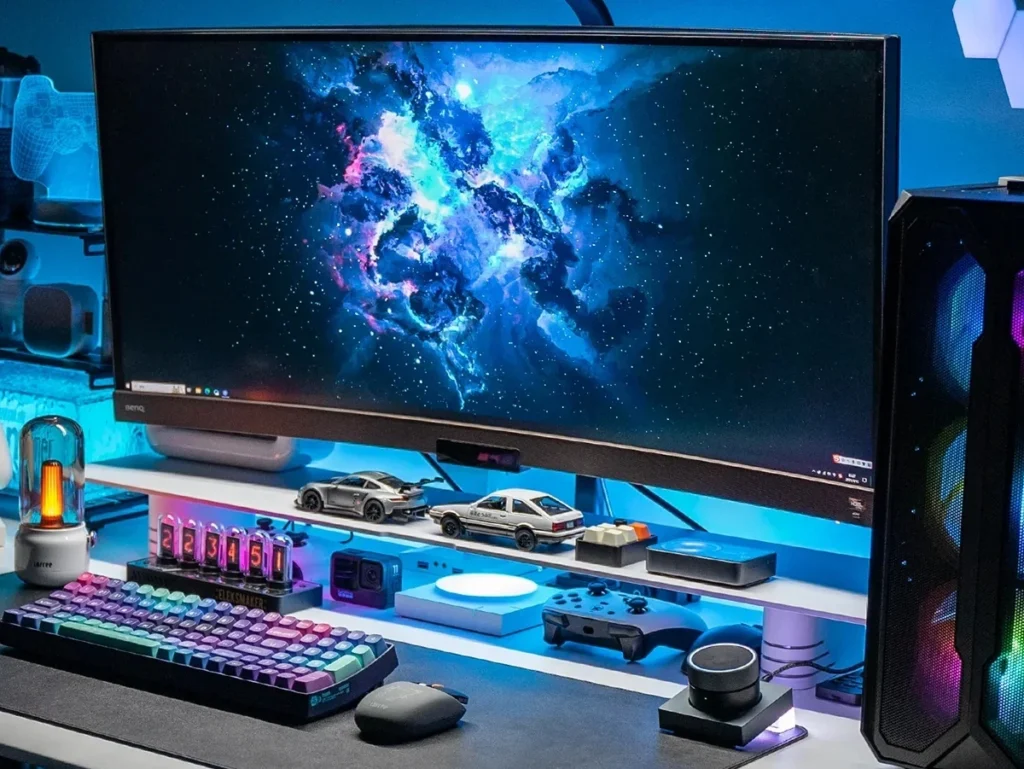
Meanwhile, magnetic keyboard switches, offering adjustable actuation distance and Rapid Trigger functionality, are widely used in FPS and other games requiring high-frequency operations. Inductive keyboard switches, with their precise and stable detection capabilities, deliver an excellent gaming experience.
Best Keyboard Switch for Office Work
Office users typically engage in extensive daily text input, thus prioritizing typing comfort, accuracy, and noise control. Tactile keyboard switches provide moderate tactile feedback, allowing users to confirm input without fully pressing the keys, improving accuracy and reducing fatigue during extended typing sessions.
Best Keyboard Switch for Programming and Content Creation
Programmers, editors, writers, and other users who perform a lot of coding or text input daily prioritize long-term typing comfort over maximum response speed. For these users, a Tactile or Clicky keyboard switch can be chosen based on personal preference.
A Tactile switch balances comfort and tactile feedback, while a Clicky switch provides more pronounced keystroke feedback, helping some users maintain their typing rhythm. However, Clicky keyboard switches are noisier and more suitable for home or personal studio use; they are not recommended for use in public offices to avoid disturbing colleagues.
Best Keyboard Switch for Keyboard Enthusiasts
For custom keyboard enthusiasts, a keyboard switch is not just an input tool but also an important part of their personalized experience. They constantly experiment with various switches, including different operating forces, spring designs, and lubrication methods, hoping to achieve a typing experience that better suits their individual preferences.
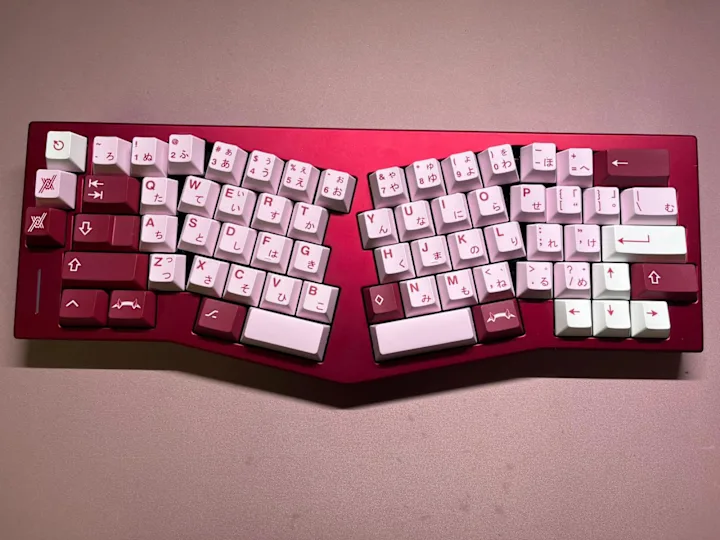
In addition to mechanical keyboard switches, more and more users are also starting to try magnetic and inductive keyboard switches. These new technologies not only bring new input methods but also enrich the development direction of customized keyboards, allowing players to experience the differentiated feel brought by different technological approaches.
Conclusion
Today, keyboard switches have formed a diversified development pattern, with different technological approaches meeting the needs of different user groups, and there is no absolute superiority or inferiority. For users preparing to buy a keyboard, instead of blindly pursuing popular products, it is better to comprehensively consider the keyboard switch manufacturer‘s reputation, their own usage habits, operational strength preferences, feel requirements, budget, and actual usage environment.
Only by fully understanding the technical characteristics and experiential differences of different keyboard switches can one truly find the most suitable keyboard switch and obtain a more efficient, comfortable, and satisfying input experience.